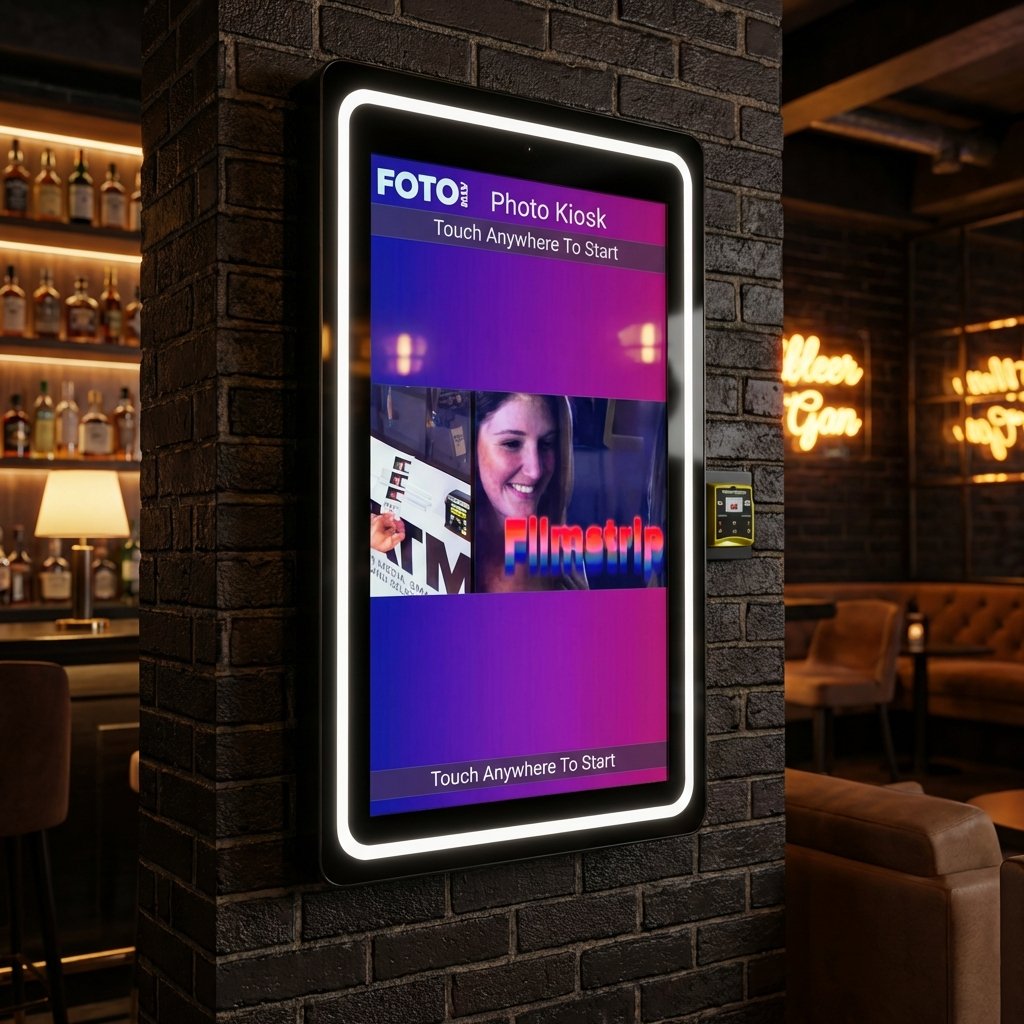
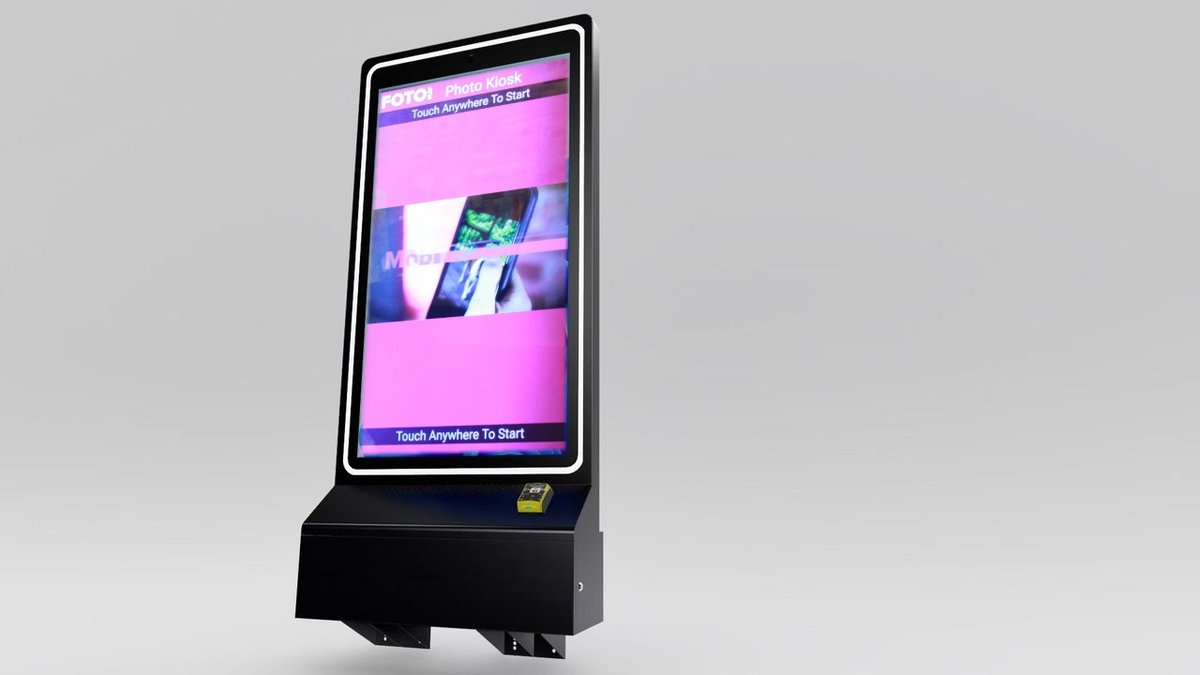
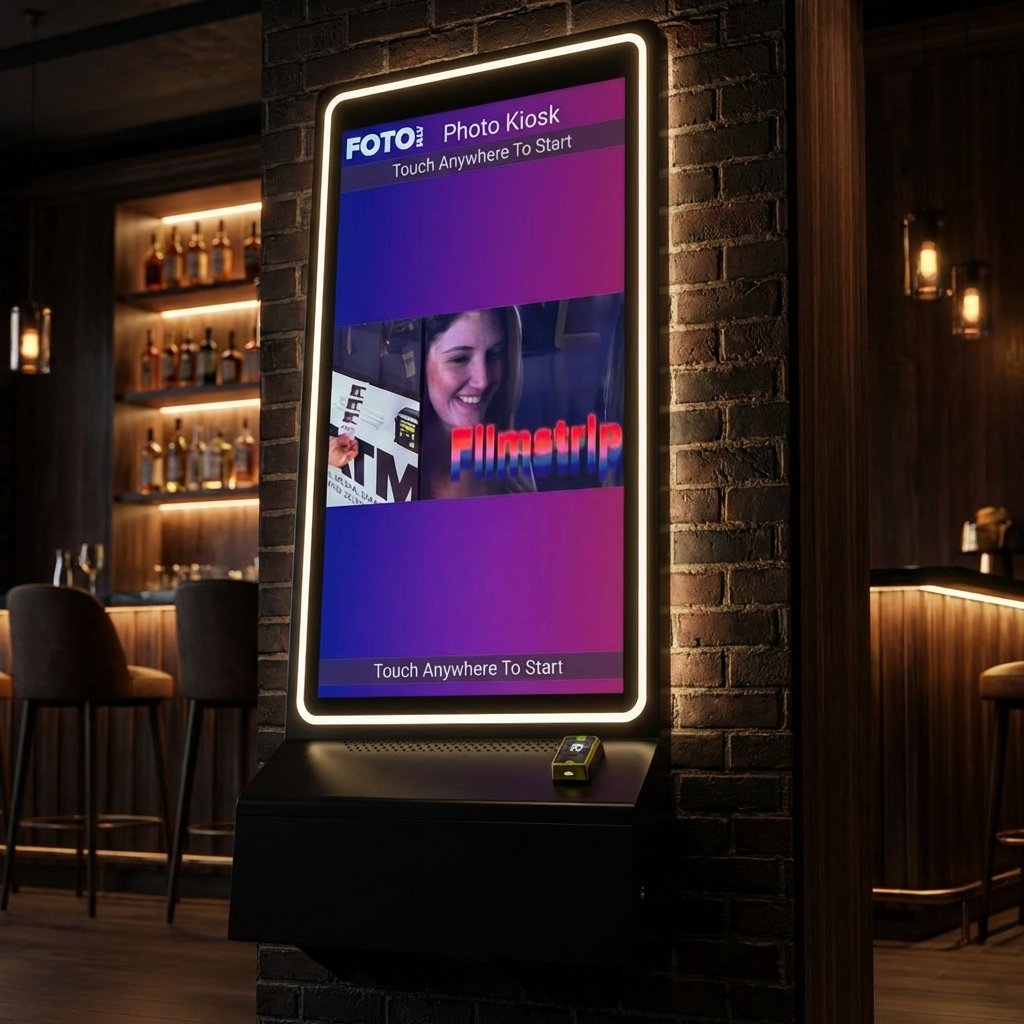
Cloud-based software has transformed photo booths into flexible, real-time tools for events. With platforms like Foto ATM’s FotoBooth, you can manage branding, pricing, and user settings remotely. Key features include:
-
Real-time updates: Change logos, colors, and hashtags instantly during events.
-
AI tools: Background removal without a physical green screen.
-
Social media integration: Guests can print photos tagged with event hashtags.
-
Remote management: Monitor performance, supplies, and guest interactions via an online dashboard.
-
Custom branding: Upload logos, banners, and overlays for a tailored experience.
-
Dynamic pricing: Adjust costs or enable free play for rentals.
This software simplifies operations and enhances guest engagement, making photo booths a powerful addition to events.
Setting Up Cloud Software for Photo Booth Customization
Creating an Account and Accessing the Dashboard
The first step is selecting a subscription plan that fits your needs. Foto ATM offers three options: Standard at $49/month for basic features, Professional at $119/month with extras like AI green screen and hashtag printing, and Enterprise at $299/month for managing multiple kiosks. Once you’ve picked your plan, click “Get Started” on the website to create your account.
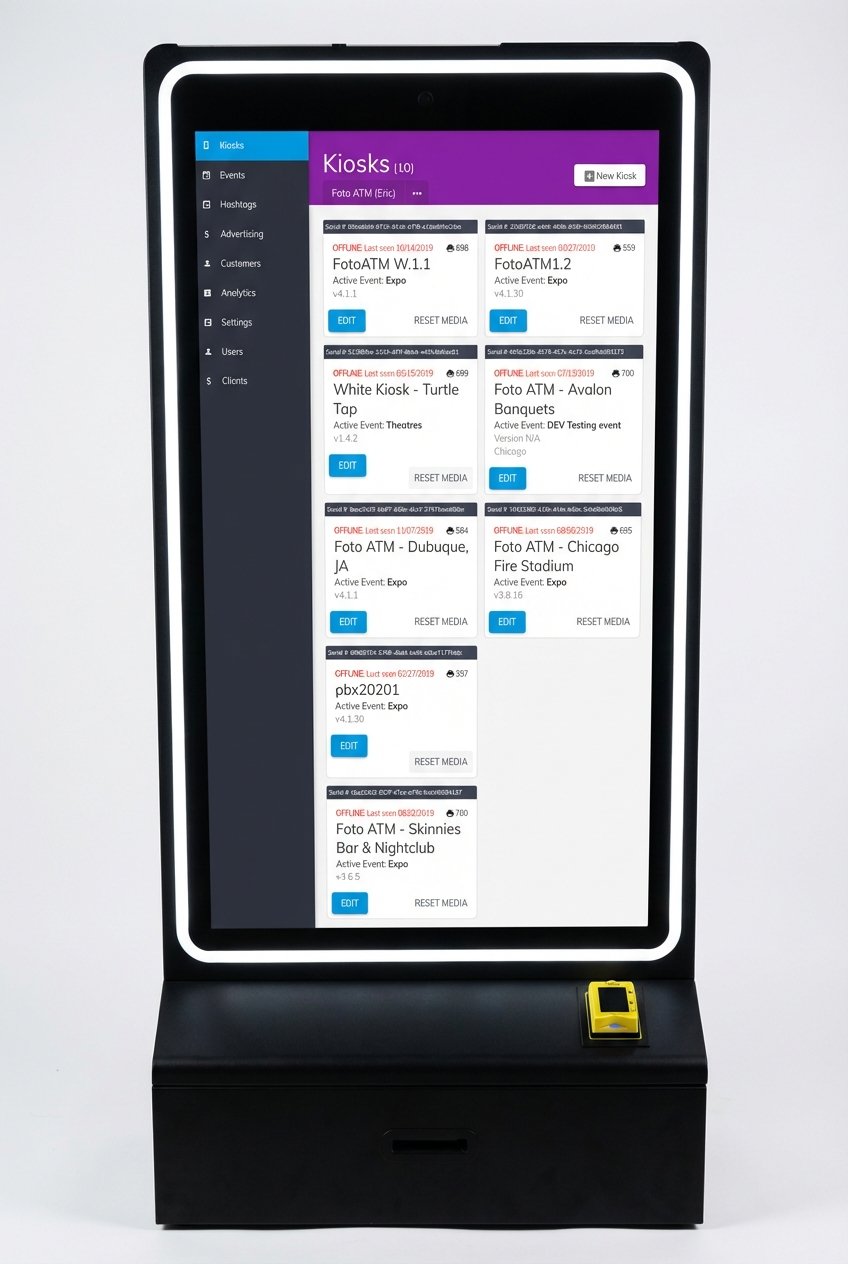
After registering, access the Client Dashboard through any web browser – whether on a desktop or smartphone. This dashboard acts as your control hub, allowing you to update branding, adjust pricing, review analytics, and make real-time changes from virtually anywhere. The interface is neatly divided into sections for event management, kiosk assignments, and performance tracking. You’ll also set up key details, such as your kiosk’s location (city, state, country), which ensures you receive accurate email alerts when printer supplies run low.
Once your account is ready and the dashboard is open, you can move on to syncing your kiosk hardware.
Connecting Hardware and Software Components
To link your physical kiosk to the cloud, start by launching the Foto ATM app on the kiosk. The app will display the kiosk’s serial number, which you’ll need to enter in the dashboard under the “Add New Kiosk” section. The serial number will stay visible on the kiosk until it’s assigned to a specific event through the dashboard.
For payment hardware, such as Nayax card readers, locate the serial number behind the cable plate. Enter this number (it starts with “4” and excludes any leading “0”) into the kiosk’s card settings in the dashboard. If you’re using printers like the Primera IP60 or DNP RX1HS, you’ll need to manually reset the print counter in the dashboard every time you change media – set it to 700 for the DNP RX1 or 500 for the Primera IP60. This ensures accurate remote monitoring of your printer’s status.
Additionally, each kiosk requires its own dedicated phone number, which you can purchase directly through the dashboard. This enables features like text messaging and mobile printing uploads. For optimal performance, make sure your kiosk runs on Windows OS with at least an i3 processor and has a reliable Wi-Fi or hotspot connection. While some kiosks can capture photos offline, features like AI background removal and live updates depend on an active internet connection.
sbb-itb-3201140
Customizing Event Branding with Cloud Tools
Uploading Logos, Banners, and Event Graphics
Using cloud-based tools, you can instantly update event branding to create a seamless and memorable experience for your guests. In the Client Dashboard’s event settings, you can upload your client’s logo (ideal size: 1800px×1200px) for automatic resizing across print formats. For branded frames, use PNG overlays (3600px×2400px), and for the Ad Carousel, upload video or static ads (900px×1300px). Transparent overlays are also an option, letting the guest’s photo shine through while your event graphics frame the edges. Bethany Scherbarth, Owner of Hive on Hubbard, shares:
“The branding it offers makes each picture a wedding favor that your guests won’t throw away!”
To enhance the overall vibe, you can also adjust digital backgrounds and color schemes.
Adjusting Backgrounds and Color Schemes
Take customization further by shaping the event’s visual tone. With the Professional plan, you can upload up to four digital backgrounds (2400px×3600px) for guests to choose from on the touchscreen. Replace the default software branding with a custom home screen logo (1260px×300px) and ensure emails match your event’s color scheme and messaging. All updates sync instantly to your kiosks, so you can tweak colors or swap graphics on the fly if the event’s needs evolve.
Enhancing User Experience with Real-Time Adjustments
When your event is live, cloud-based software offers the flexibility to make on-the-spot changes to guest settings. Any updates you make in the dashboard are instantly reflected at the booth, letting you adapt to what’s happening in real time. For example, if engagement is lower than expected, you can quickly adjust pricing, swap out hashtags to focus on different parts of the event, or even activate “free play” mode. Combined with your custom branding, these features create an interactive and engaging experience for your guests. Plus, the instant feedback you gather sets the stage for advanced tools like AI-driven backgrounds and integrated social sharing.
AI-Powered Green Screen Features
Forget the hassle of traditional green screens with their strict lighting requirements and physical backdrops. AI-driven background removal takes care of it all. Using facial recognition, the software detects and replaces backgrounds automatically – no extra setup needed. Guests can pick from up to four digital scenes that you upload, and the AI ensures seamless results, even in tricky lighting. Because this system doesn’t rely on a physical green screen, you can update the available digital backgrounds remotely through your cloud dashboard, giving attendees fresh options throughout the event.
Social Media Integration and Hashtag Printing
With cloud-based hashtag integration, your booth connects directly to Instagram and Twitter, making social sharing effortless. Photos tagged with your event’s hashtag can stream onto a Social Wall for instant display and printing. Guests can snap a photo on their phones, post it with the hashtag, and print it at the kiosk within moments. You maintain full control over the displayed content, as the dashboard lets you filter out any inappropriate or unwanted images. Need to tweak or update hashtags mid-event? No problem – everything can be managed remotely to match the flow of your event.
Dynamic Pricing and Payment Processing
Real-time pricing adjustments are a breeze with the cloud dashboard. You can set and modify prices for various options like mobile uploads, photo strips, postcards, or social prints instantly. Hosting a rental event? You can switch pricing to “$0” for unlimited free play while still collecting guest data. For revenue-focused setups, the software integrates with payment hardware such as Nayax EMV readers, bill acceptors, and arcade pulse readers for seamless transactions. To grow your marketing list, you can enable the “Require Email to Print” feature, collecting contact information before guests print their photos. Plus, remote monitoring keeps you informed about supply levels, so you can avoid running out of paper or ink during busy times. This ensures smooth operation and keeps your guests happy.
Remote Management and Analytics for Event Success
Cloud-based management doesn’t just enable real-time customization – it also lets you monitor performance and make adjustments as your event unfolds.
Monitoring Performance via Cloud Dashboard
With cloud software, real-time performance data is just a browser away. The dashboard offers a comprehensive view of your photo booth’s activity, tracking metrics like total interactions, photos taken, social media shares, digital copies sent via email or SMS, and even revenue. You can also keep tabs on hardware status, such as remaining print supplies, with email alerts notifying you when media levels are running low.
Want to dig deeper? Analytics provide detailed insights into session start times, durations, and feature usage. You can filter this data by hour, day, month, or year to pinpoint peak activity periods and better understand guest behavior throughout the event.
Making Live Adjustments Based on Data
The beauty of analytics is the ability to act on them instantly. If engagement numbers are lower than expected, tweak pricing on the spot to boost participation. Noticing that certain AI effects or layouts are a hit? Activate those options while disabling the ones getting less attention. If your hashtags aren’t gaining traction on social media, swap them out remotely to better align with what’s trending among your audience. These real-time insights let you fine-tune the experience for maximum impact.
You can also export collected emails and phone numbers into a CSV file and kick off follow-up campaigns while the event is still in progress. Use social wall analytics to curate which photos appear publicly on the kiosk, ensuring your event’s visual presentation stays polished and engaging in real time.
Deploying and Testing a Personalized Photo Booth
Once you’ve finished customizing your photo booth, the next step is deployment and testing to guarantee smooth branding and functionality.
Pre-Event Testing and Quality Assurance
Start by activating your license and creating a new event profile tailored to your customizations. Connect your camera, setting it to manual mode for consistent results. Check the printer’s media type and reset its print counter to match its capacity.
Test each feature step by step. Upload your event branding elements – logos, transparent overlays, and screen templates – and run a test session to ensure everything works. Pay special attention to the live view, countdown timer, and print quality. For the AI-powered green screen, manually adjust the white balance to ensure proper functionality. If the event involves paid features, test the payment system by entering your Nayax EMV reader’s serial number (without the leading zero) and processing a test transaction.
Make sure your kiosk is linked to the correct event profile by verifying its serial number in the cloud dashboard. This ensures all previous configurations are applied, and any remote adjustments take effect immediately. Test other features like social media hashtag printing, lead capture forms for collecting email and phone numbers, and digital delivery via SMS to confirm that the entire user experience is seamless.
Once testing is complete, shift your focus to active monitoring to maintain top-notch performance throughout the event.
Monitoring and Supporting During the Event
Building on your pre-event tests, use the cloud dashboard to oversee real-time performance during the event. The dashboard tracks key metrics like total interactions, photos taken, social shares, and revenue. It also monitors hardware status and sends email alerts when printer media runs low, helping you stay ahead of potential issues.
For example, if certain AI effects are particularly popular, you can enable those features while temporarily disabling less-used options. You can also manage your social wall in real time, selecting which hashtag photos appear publicly on the kiosk to maintain a polished display. Additionally, update video ads on the idle screen carousel remotely to promote sponsors or highlight upcoming activities.
“As a vendor, it’s important to have real-time updates on how my products are performing, and with Foto ATM’s FotoBooth app I’m able to view analytics and update my kiosks remotely from my phone.”
Jim Kershbaumer, Owner, Cash Cow Vending
The cloud dashboard also provides session logs showing start times, durations, and which features guests are using most. Review email and SMS delivery logs to confirm that digital copies are reaching guests successfully. You can even export collected contact information to a CSV file for immediate follow-up campaigns while the event is still happening.
Conclusion
Cloud-based software has completely changed the game for photo booths, turning them into dynamic marketing tools that can adapt to the unique needs of any event – all managed remotely.
Want to upload a logo and have it perfectly resized? Done. Need AI-powered green screen effects or real-time pricing updates? No problem. Traditional photo booths simply can’t compete with this level of flexibility. With remote management, you can track performance metrics, update social walls, troubleshoot issues, and make adjustments – all from your smartphone – while the event is still happening. This kind of customization doesn’t just improve the user experience; it streamlines operations by cutting out manual setup and enabling instant tweaks.
Foto ATM’s cloud platform brings everything together in one place. From setting up the dashboard and capturing leads to live monitoring, payment processing, and social media integration, it’s all automated and easy to manage. Plus, real-time analytics let you gather valuable guest data while ensuring the system runs smoothly.
Whether it’s a wedding, a corporate event, or a retail activation, cloud software takes the guesswork out of the equation. Test everything before the event, make live adjustments as needed, and instantly export contacts – all from a single dashboard. This level of control and automation transforms modern photo booths into a powerful tool for creating engagement and driving event revenue.
FAQs
How does cloud software make event photo booths more customizable?
Cloud software takes event photo booths to a whole new level by making them incredibly flexible and easy to customize. With cloud-based tools, you can tweak everything – custom backgrounds, overlays, color schemes, and more – in real time to perfectly align with the event’s theme or branding. Whether it’s a corporate gala or a lively birthday party, the setup can be tailored to fit the vibe effortlessly.
On top of that, features like AI-powered green screen effects and instant background removal let you create fun, interactive photo experiences for guests. And because these updates can be made remotely, it not only saves time but also ensures the event runs smoothly while leaving a lasting impression on attendees.
How do AI tools improve photo booths at events?
AI tools are transforming event photo booths by adding a mix of creativity and efficiency. With features like real-time background removal, face swapping, and playful effects – think cartoon or pixelated filters – photos become more engaging and tailored to each guest. The best part? These features work quickly, ensuring a smooth and fun experience for everyone involved.
But it doesn’t stop there. AI also makes branding and customization a breeze. Event organizers can use cloud-based software to update backgrounds, overlays, or themes on the fly, perfectly matching the event’s vibe. This not only elevates the look of the photos but also simplifies the process by cutting down on manual tweaks. With AI in the mix, photo booths offer a more interactive, polished, and hassle-free experience for any event.
How can I customize and control a photo booth remotely during an event?
Cloud-based software simplifies the process of customizing and managing photo booths remotely in real time. With these tools, you can tweak branding elements, modify user interface settings, and even enable features like AI-driven effects or virtual background changes – all without being physically present. This means your photo booth can seamlessly match the event’s theme and operate efficiently, eliminating the need for on-site adjustments.
These platforms also let you keep an eye on the booth’s performance, schedule activations, and apply updates instantly. With remote management tools, you gain complete control over the photo booth experience, making things easier for event planners while creating a more engaging experience for attendees.
Ready to add passive revenue to your venue? Take the 60-second kiosk quiz to find your perfect match, or compare all models side by side.