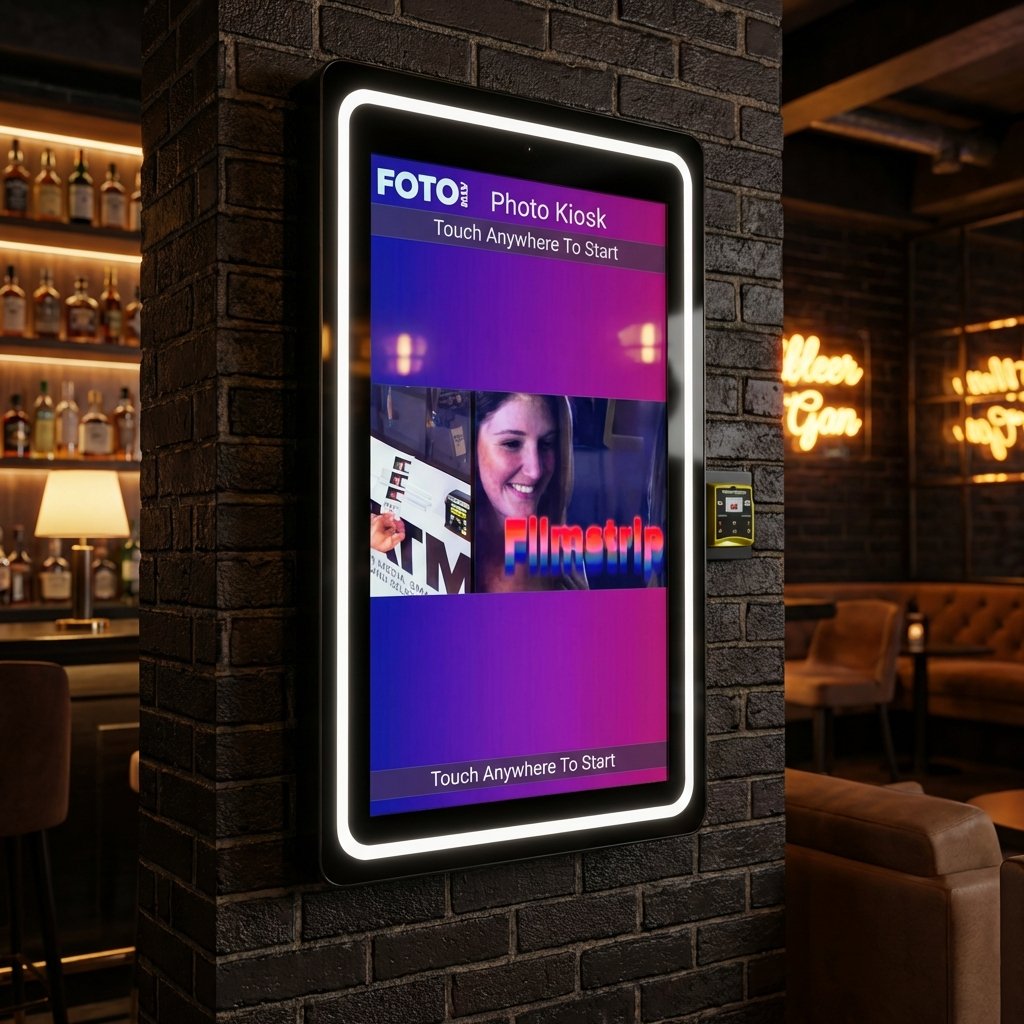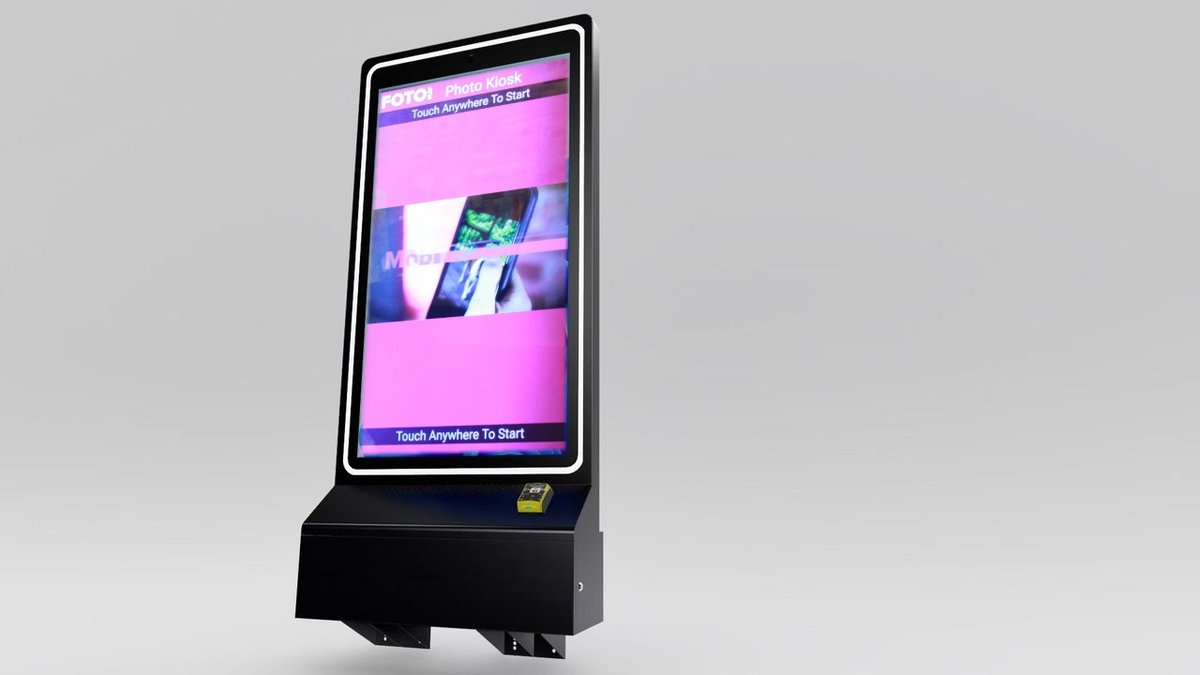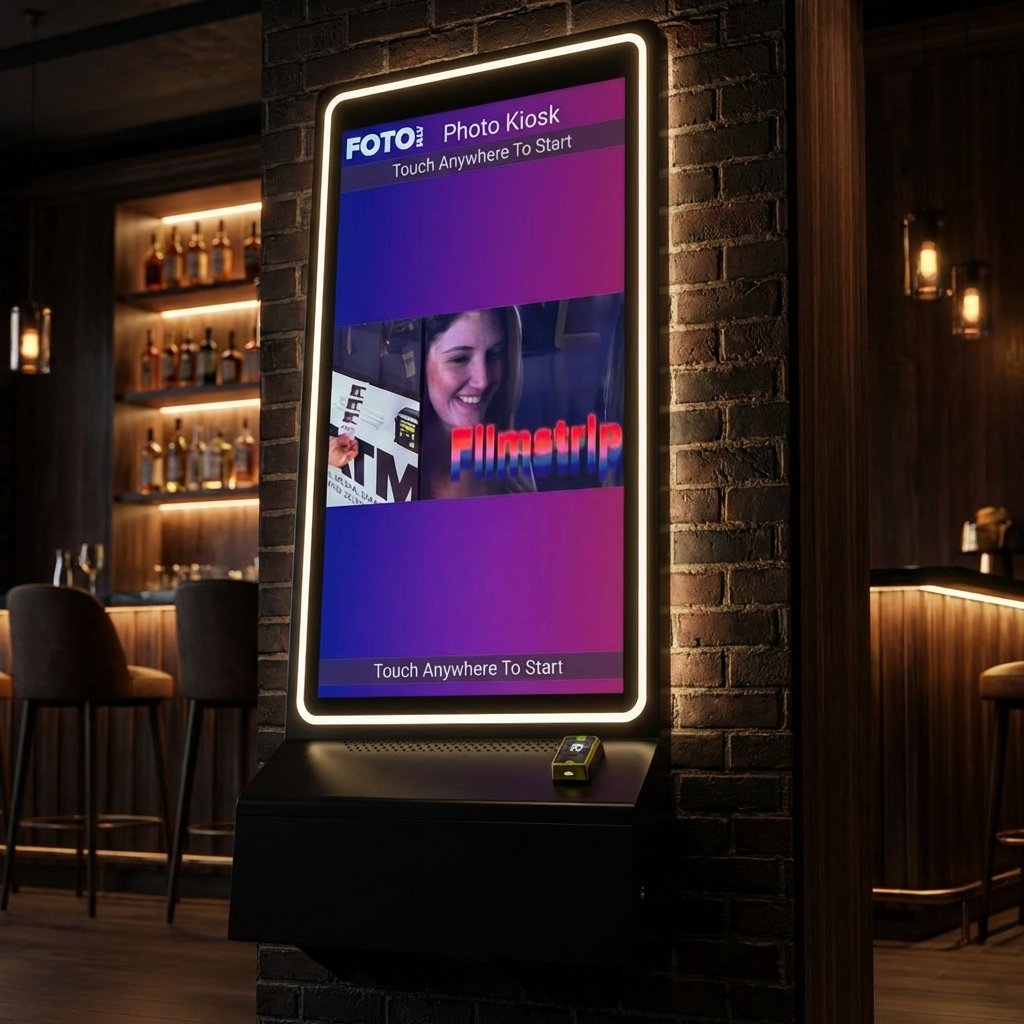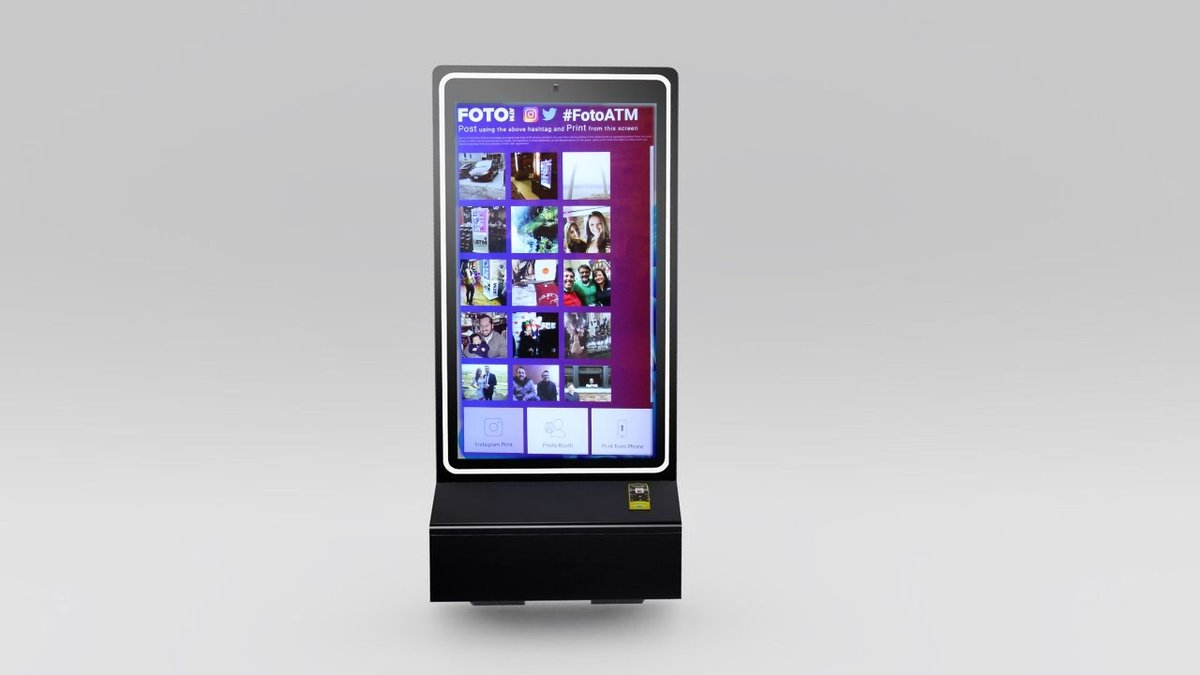
Custom branding for photo kiosks allows businesses to personalize both the physical and digital aspects of kiosks to reflect their logos, colors, and messaging. This transforms kiosks into marketing tools that enhance brand visibility and create memorable customer experiences. Businesses can customize kiosks with features like vinyl wraps, branded photo templates, and AI-powered effects. Here’s what you need to know:
-
Physical Customization Costs: Decals start at $800, full vinyl wraps range from $1,000–$5,000, and permanent paint can exceed $2,000.
-
Digital Customization Costs: Branded photo templates cost $50–$200 per design, AI green screen features range from $300–$600, and subscription software costs $29–$299/month.
-
Lifespan: Decals last 6–12 months, vinyl wraps last 1–3 years, and permanent paint can last over 3 years.
-
Revenue Potential: Custom kiosks can increase social media engagement and generate income through premium features like green screens or sponsored overlays.
Cloud-based tools make it easy to update branding, monitor analytics, and manage multiple kiosks remotely. Custom-branded kiosks not only boost brand recognition but also open new revenue streams through interactive features and social sharing opportunities.
Custom Wrap a Photo Booth
Physical Exterior Customization Options
The look of your photo kiosk isn’t just about aesthetics – it’s a key factor in drawing customers in and showcasing your brand. Here’s how you can align your kiosk’s design with your venue’s identity.
Decals and Vinyl Wrap Options
Removable decals, starting at around $800, offer a flexible way to update your kiosk’s branding. For a more immersive transformation, full vinyl wraps range from $1,000 to $5,000, depending on the size and complexity of the design.
The surfaces available for customization usually include the front, sides, and sometimes the back or top panels, depending on the kiosk model. Many providers also offer design services to help turn your logos and concepts into production-ready artwork for an additional fee, typically around $199. These physical customizations, when paired with digital branding, create a seamless brand experience. Expect a lead time of 1 to 3 weeks for production and installation, though this may vary based on design intricacies and production schedules.
To keep your kiosk looking sharp, regular maintenance is essential.
Durability and Maintenance of Physical Customization
The lifespan of these customizations varies based on the material:
-
Removable decals are ideal for short-term use, lasting 6–12 months.
-
Full vinyl wraps are more durable, with a lifespan of 1–3 years.
-
Permanent paint or panel replacements can last over 3 years.
Maintaining these branded surfaces ensures they stay visually appealing. Use a soft, damp cloth to clean off dust and fingerprints, and avoid abrasive cleaners or harsh chemicals that can damage the graphics. For tougher stains, mild soap and water are effective without harming the materials. Regularly check for peeling edges or scratches, as addressing these issues early prevents them from detracting from your kiosk’s overall look.
| Customization Type | Cost Range | Expected Lifespan | Best Use Case |
| Removable Decals | $800+ | 6–12 months | Short-term events, seasonal branding |
| Full Vinyl Wraps | $1,000–$5,000+ | 1–3 years | Permanent installations |
| Permanent Paint/Replacement Panels | $2,000–$6,000+ | 3+ years | Long-term, fixed branding |
Digital Interface and Output Customization
The digital side of customization plays a key role in shaping the user experience, complementing the physical upgrades mentioned earlier. Together, they create a seamless and memorable branded interaction.
Branded User Interfaces and Photo Templates
Touchscreen kiosks can be transformed into powerful branding tools. From welcome screens to buttons and prompts, every element can reflect your logo, colors, and overall theme. This ensures that users engage with your brand at every step of their photo session, not just when they receive their final images.
Custom photo templates take branding a step further. By incorporating your logo, event details, or themed backgrounds, each snapshot becomes more than just a photo – it turns into a branded keepsake. Whether users print photo strips or share digital images, these outputs act as subtle yet effective marketing tools, spreading your brand far beyond the event.
To achieve this, all artwork must meet specific technical requirements, such as high-resolution formats like PNG or PSD, with proper dimensions and color profiles to ensure clarity on screens. Social media integration is another game-changer, allowing users to instantly share branded photos on platforms like Instagram or Facebook, complete with personalized hashtags to boost your online presence.
But the possibilities don’t stop there – advanced features can take this digital branding to the next level.
Advanced Digital Branding Features
AI-powered green screen technology is a standout option. It can remove photo backdrops without the need for physical green screens, offering users the ability to choose from multiple branded backgrounds. This opens up endless creative opportunities, from showcasing sponsor logos to creating immersive virtual environments that would be impossible to replicate in real life.
Animated overlays and digital props bring an interactive element to the experience. Moving logos, themed props, and dynamic effects encourage users to experiment with various looks, resulting in more photos – and more branded content being shared online.
Idle time doesn’t have to go to waste either. Ad carousels can display branded videos or visual promotions when the kiosk isn’t in use, ensuring your branding stays front and center even during downtime. This feature turns every moment into a marketing opportunity, maximizing the return on your kiosk investment.
Cloud-based software solutions, such as those offered by Foto ATM, make managing these digital elements incredibly convenient. From updating templates to modifying interfaces or switching themes for different events, everything can be done remotely. This is especially useful for venues hosting multiple events or seasonal promotions, as it eliminates the need for on-site adjustments.
The cost of digital branding varies depending on the level of customization. Basic digital branding typically ranges from $1,000 to $5,000 in design fees, while software licensing costs between $20 and $200 per month per kiosk. For more advanced features like AI-powered effects, development costs can climb to $5,000–$20,000. However, the enhanced user experience and increased social media sharing often make these investments worthwhile.
Technical and Design Requirements
Creating custom branding for kiosks demands attention to specific technical details to achieve professional results. Knowing these requirements upfront can save time, avoid costly mistakes, and ensure your branding appears as intended across all kiosk elements.
Artwork Submission Guidelines
When submitting branding assets, stick to file formats like JPEG, JPG, or PNG for standard use. Logos intended for web galleries should have a maximum width of 150 pixels, while app logos should be resized to no more than 80 pixels. For background images and screen assets, make sure they match the exact screen resolution of the device to avoid pixelation or distortion.
High-resolution files (at least 300 dpi for print) are essential. Keep file sizes between 2 and 15 MB to maintain quality while avoiding upload issues. For digital elements like touchscreen displays, use RGB color profiles, and for printed materials such as wraps or decals, switch to CMYK profiles. Including hex color codes for your brand ensures consistent colors across both digital and physical assets.
To get the dimensions right, use templates provided by the kiosk manufacturer. These templates include guidelines for proper dimensions, safe zones, and bleed areas, helping to prevent critical design elements from being trimmed during production. Requesting these templates before starting your design work can save a lot of headaches and reduce the risk of expensive revisions.
When working with design teams, provide layered files (such as PSD or AI formats) to allow for easy adjustments without starting from scratch. Clear communication about the placement of logos and other branding elements ensures they are prominently displayed without disrupting the user experience.
The approval process usually involves submitting artwork via a vendor portal, followed by a proofing stage where digital or physical mockups are reviewed for accuracy. Providing timely feedback and adhering to submission guidelines will help avoid delays that could interfere with launch timelines. Once artwork is finalized, the next step is ensuring it integrates seamlessly with the kiosk’s software.
Software Compatibility and Cloud-Based Solutions
After meeting artwork requirements, the focus shifts to software integration, which ensures your branding is consistent across all kiosk functions.
Cloud-based platforms make it easy to remotely upload and update branding assets – like logos, color schemes, and photo templates – across multiple kiosks from a central dashboard. This setup allows businesses to roll out new campaigns or seasonal themes quickly, without needing on-site adjustments.
Foto ATM’s cloud-based software is a great example of this functionality. It enables remote customization of apps, logos, pricing, and advertisements. The software also supports branded photos from various sources and allows businesses to personalize hashtags for social media sharing on platforms like Instagram and Twitter.
To avoid compatibility issues, confirm early on that all submitted artwork and templates meet the kiosk’s software requirements. This includes checking for specific file types, dimensions, and animation formats (such as MP4 for video backgrounds). Addressing these details upfront can save you from integration hiccups later.
Testing plays a crucial role in ensuring everything works seamlessly. Custom templates must integrate properly with print functions, digital sharing options, and social media features. Platforms like Foto ATM’s can also be purchased separately to upgrade existing photo booth fleets, offering flexibility for businesses that already own hardware.
Beyond branding updates, centralized control platforms offer additional benefits. Operators can monitor performance metrics, adjust pricing, and modify ad content across their entire network of kiosks. This not only enhances the return on your branding investment but also reduces the time and resources needed for ongoing maintenance.
sbb-itb-3201140
Cost and Pricing Information
Let’s take a closer look at the costs associated with customizing and branding your kiosk. These insights cover both physical and digital branding expenses, along with operational costs, giving you a clear picture of what to expect.
Cost Breakdown of Branding Options
The cost of physical branding depends on the coverage area and materials used. For instance, decal branding – using custom stickers or panels – starts at around $800 for partial coverage. If you’re looking for full exterior coverage, vinyl wraps are an option. These range from $1,000 to $2,500, depending on the size of the booth, the materials used, and the complexity of the design.
On the digital side, customization can add an interactive edge to your kiosk. Custom photo templates and digital overlays typically cost between $50 and $200 per design. For more advanced features, green screen technology licenses range from $300 to $600, while GIF creation capabilities start at $350 per license.
Here’s a quick summary of the costs for various branding options:
| Branding Option | Typical Cost (USD) | Duration |
| Decal Branding (Partial) | $800+ | One-time |
| Full Vinyl Wrap | $1,000–$2,500 | One-time |
| Custom Photo Template | $50–$200 | Per design |
| Green Screen Feature | $300–$600 | Per license |
| GIF/Animated Feature | $350+ | Per license |
| Branded Backdrop | $500+ | One-time |
| Subscription Software | $29–$100/month | Monthly |
Don’t forget to include shipping, installation, and maintenance costs in your budget. Installation and setup typically add $500 to $2,000 per kiosk, while shipping costs vary between $200 and $1,500, depending on the size of the unit and the shipping destination.
Here’s an example of the impact branding can have: A national retail chain’s custom branding rollout led to a 30% increase in social media mentions and boosted foot traffic to their stores.
Volume Discounts and Subscription Plans
If you’re planning to deploy multiple kiosks, you’ll likely benefit from volume discounts. Many providers offer savings of 10% to 30% off standard rates, with greater discounts available for larger orders. For instance, Foto ATM’s Vista Kiosk drops from $7,999 for a single unit to $5,599 per unit when you purchase 75–100 kiosks – a 30% reduction.
For ongoing software needs, Foto ATM’s subscription plans offer flexibility and value. Their Standard plan, at $49 per month, includes basic photo booth functionality and real-time analytics. The Professional plan, priced at $119 per month, adds features like hashtag wall integration and AI green screen technology. For larger operations, the Enterprise plan costs $299 per month and supports multiple licenses, along with event-based advertising.
Jim Kershbaumer, owner of Cash Cow Vending, shares how these tools have helped his business:
“As a vendor, it’s important to have real time updates on how my products are performing, and with Foto ATM’s FotoBooth app I’m able to view analytics and update my kiosks remotely from my phone.”
For businesses looking to add specific features, AI Green Screen credits are available starting at $20 per month for 50 credits, scaling up to $160 for 1,000 credits. Similarly, hashtag printing starts at $20 per month for a single social feed and goes up to $60 for four feeds. These subscription models are designed to align costs with usage while offering timely updates, new features, and technical support, helping you get the most out of your investment through improved brand visibility and operational efficiency.
Maximizing ROI with Custom-Branded Kiosks
Custom-branded kiosks offer a measurable return on investment by turning every customer interaction into a marketing opportunity. They not only increase brand exposure but also open up new revenue streams through premium features and enhanced engagement.
Brand Visibility and Digital Sharing
Every photo printed from a branded kiosk becomes a physical reminder of your brand, extending its reach beyond the initial interaction. When customers take home photos stamped with your logo, colors, and messaging, these keepsakes stand out compared to traditional marketing materials.
The impact grows even further with digital sharing. Branded photo templates and overlays featuring event hashtags or calls to action encourage users to share their images on platforms like Instagram and Facebook. For instance, one bar using custom-branded kiosks reported a 30% jump in social media mentions and a 15% boost in event attendance, all thanks to photo sharing. To amplify this effect, include clear calls to action in your templates and consider offering incentives like contests or discounts to encourage organic sharing.
Beyond visibility, these branded photos pave the way for additional revenue through interactive features.
Revenue Opportunities with Interactive Features
Custom kiosks aren’t just about branding – they also unlock new ways to generate income. Businesses can charge for premium experiences such as AI-powered green screen effects, GIF creation, slow-motion videos, and exclusive digital enhancements. For example, a venue managed to add $200 in revenue per event by offering AI green screen backgrounds, recouping its initial investment in fewer than 20 events.
Event-based advertising offers another way to monetize. Sponsored overlays, branded backdrops, and promotional templates can attract partner sponsorships while enhancing the customer experience. The global photo kiosk market is expected to hit $1.2 billion by 2027, and a $5,000 kiosk investment in a high-traffic spot can bring in up to $3,000 in monthly net income.
These revenue streams are even more effective when paired with data-driven insights for performance optimization.
Tracking Performance with Analytics
Measuring performance goes beyond counting printed photos. Modern cloud-based solutions provide real-time data on user engagement, revenue, and brand impact, offering a clearer picture of your kiosk’s success.
With real-time analytics, operators can monitor performance across multiple locations and adjust kiosks remotely. Key metrics to track include session counts, print volumes, digital shares, revenue per kiosk, and social media engagement. Monitoring event-specific hashtags on social platforms can also help gauge brand visibility. Cloud-based tools make it easy to update branding, pricing, and promotions on the fly, ensuring your strategy stays responsive to real-time data.
Regularly analyzing these metrics helps identify which branding elements resonate most with customers, refine pricing for premium features, and determine the best times and locations for engagement. This data-driven approach ensures your custom-branded kiosk not only delivers a strong ROI but also builds lasting brand recognition.
Conclusion
Custom branding has the power to turn simple customer interactions into unforgettable brand experiences. By blending physical elements – like vinyl wraps, decals, and branded backdrops – with digital touches such as custom interfaces and photo templates, businesses can create a seamless, lasting impression. This approach not only boosts immediate engagement but also sets the stage for long-term brand recognition and growth.
Investing in custom branding pays off through stronger customer connections and multiple revenue opportunities. It’s a smart move for businesses aiming to amplify their marketing efforts and stand out in competitive markets.
Custom-branded kiosks offer more than just visibility – they engage customers in meaningful ways. Branded photos act as keepsakes that carry your message far beyond the initial interaction, especially when shared online. Meanwhile, cloud-based management tools make it easy to update branding, track performance, and fine-tune campaigns, all from a remote location.
Foto ATM takes these benefits a step further with a complete package of solutions. Their unattended photo kiosks combine advanced features like AI-powered green screens, social media integration, and detailed analytics. Designed for diverse venues – whether it’s a bar, restaurant, event space, or retail location – Foto ATM makes custom branding both easy to manage and highly impactful.
Choosing a provider that offers both physical and digital customization ensures your brand stays dynamic and adaptable. With reliable cloud-based tools and the flexibility to evolve alongside your branding needs, custom-branded photo kiosks become more than just a fun attraction – they become essential tools for building meaningful customer relationships and driving measurable business success.
FAQs
How do custom-branded photo kiosks improve social media engagement and brand awareness?
Custom-branded photo kiosks are a fantastic way to boost your brand’s visibility while encouraging social media interaction. These kiosks let users snap and share branded photos instantly, helping your business gain organic exposure on platforms like Instagram and Twitter.
Beyond that, they offer a fun, hands-on experience that draws guests in and gets them actively engaging with your brand. When users share their experience online, it not only expands your social media reach but also creates an opportunity to gather useful marketing data – like email addresses – that you can use for future campaigns.
How can I keep a custom-branded photo kiosk looking clean and professional over time?
To keep your custom-branded photo kiosk looking sharp and professional, regular upkeep is essential. Start by cleaning the exterior regularly to get rid of dust, fingerprints, and smudges that can dull its appearance. Check for any damage or fading on branding elements like logos and graphics. If needed, touch them up or replace them to maintain a polished look.
Don’t overlook the software side of things. Keeping the system updated ensures smooth performance and provides users with a hassle-free experience. With consistent care, your kiosk will stay visually appealing and fully operational for the long haul.
How can cloud-based tools simplify managing and updating branding across multiple photo kiosks?
Cloud-based tools simplify the process of managing and updating branding elements – like logos, pricing, and advertisements – across multiple photo kiosks. With remote access, you can make real-time changes from your smartphone, tablet, or computer, ensuring your kiosks stay consistent and up-to-date no matter where you are.
This not only saves time but also removes the hassle of making on-site adjustments. It’s a perfect solution for businesses with multiple locations or those running promotions that change often.
Ready to add passive revenue to your venue? Take the 60-second kiosk quiz to find your perfect match, or compare all models side by side.