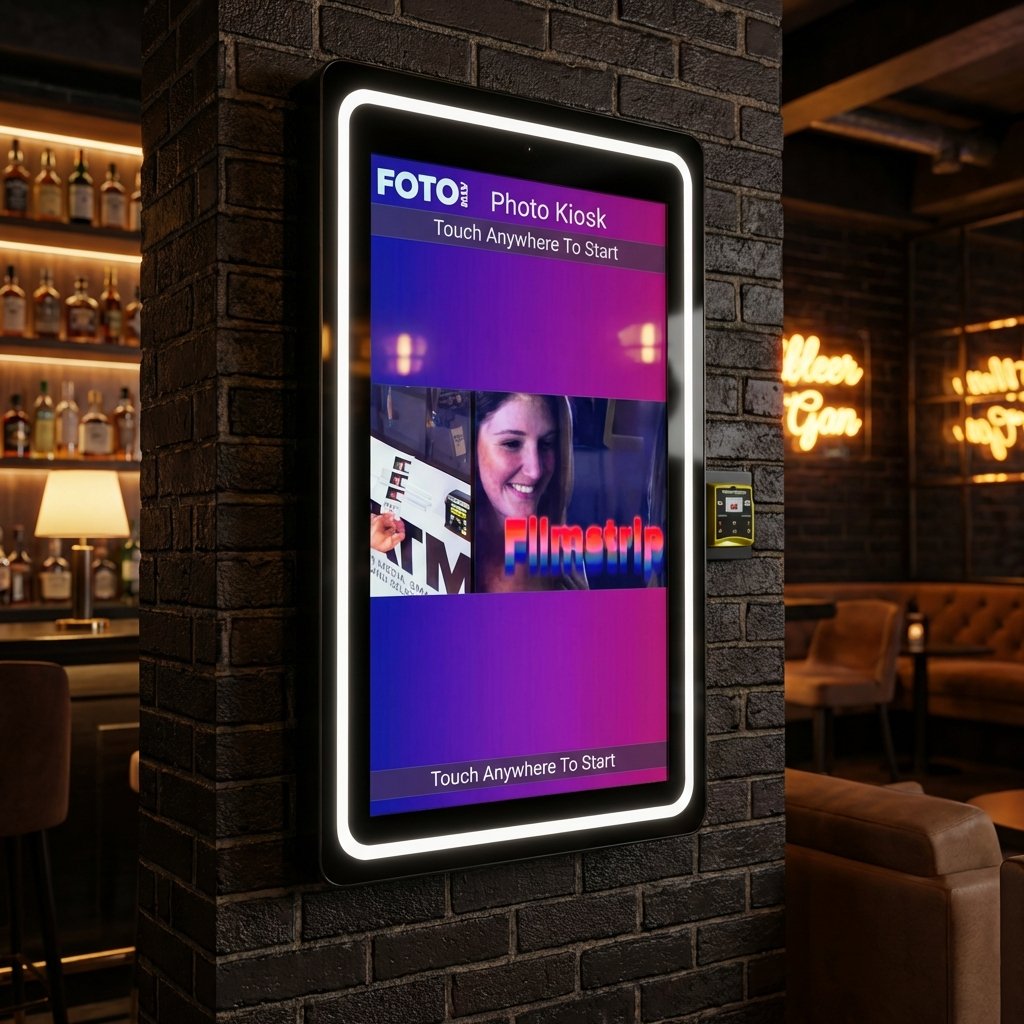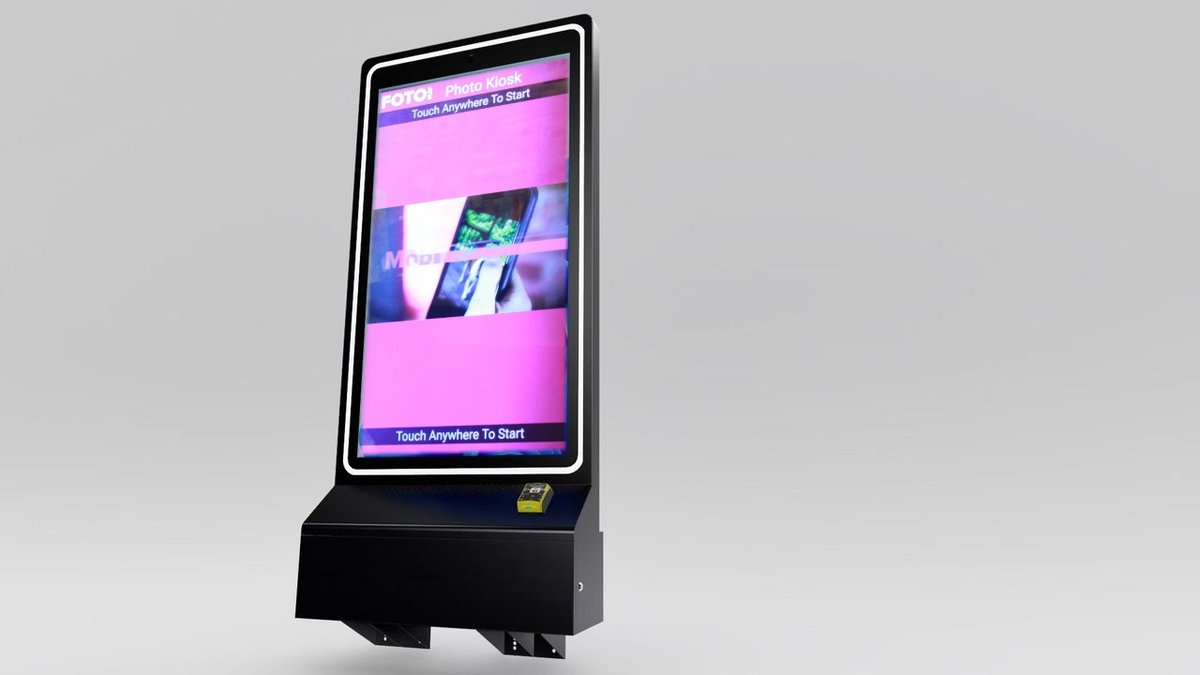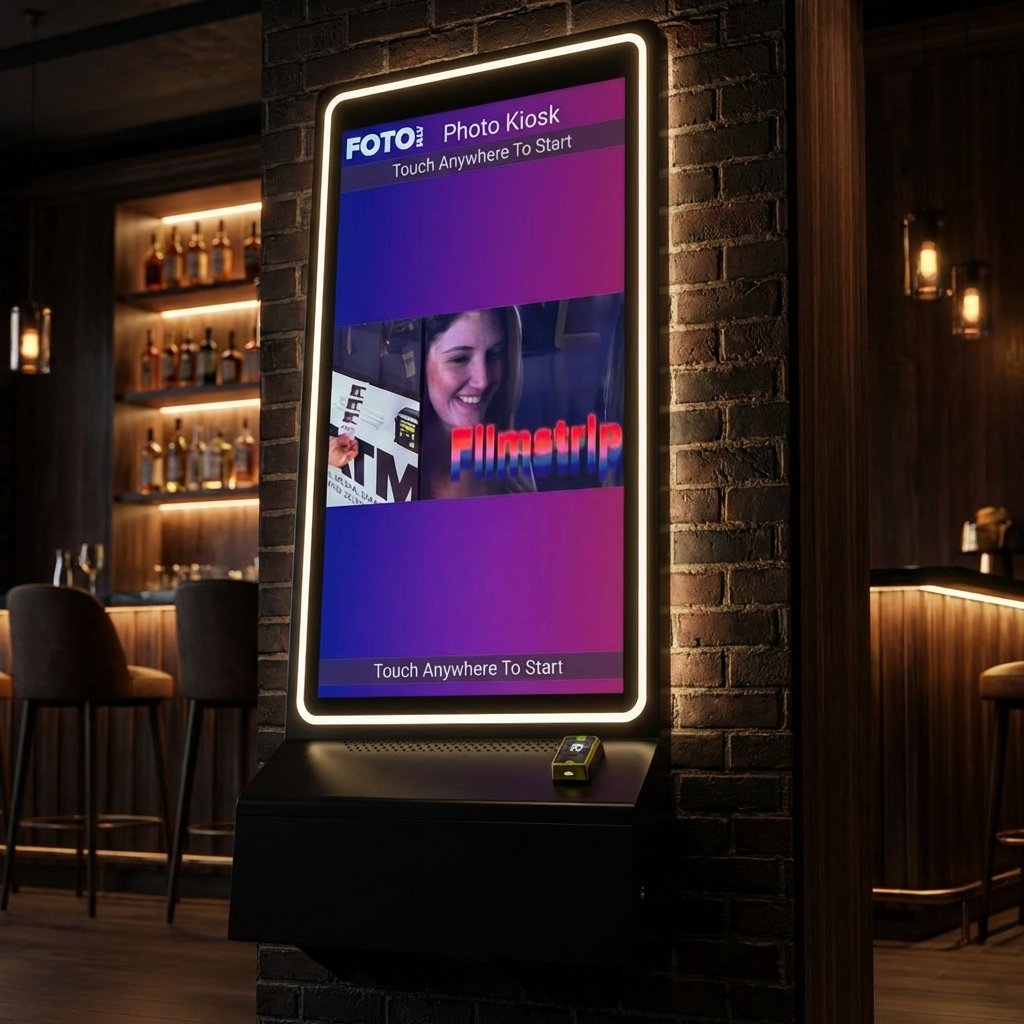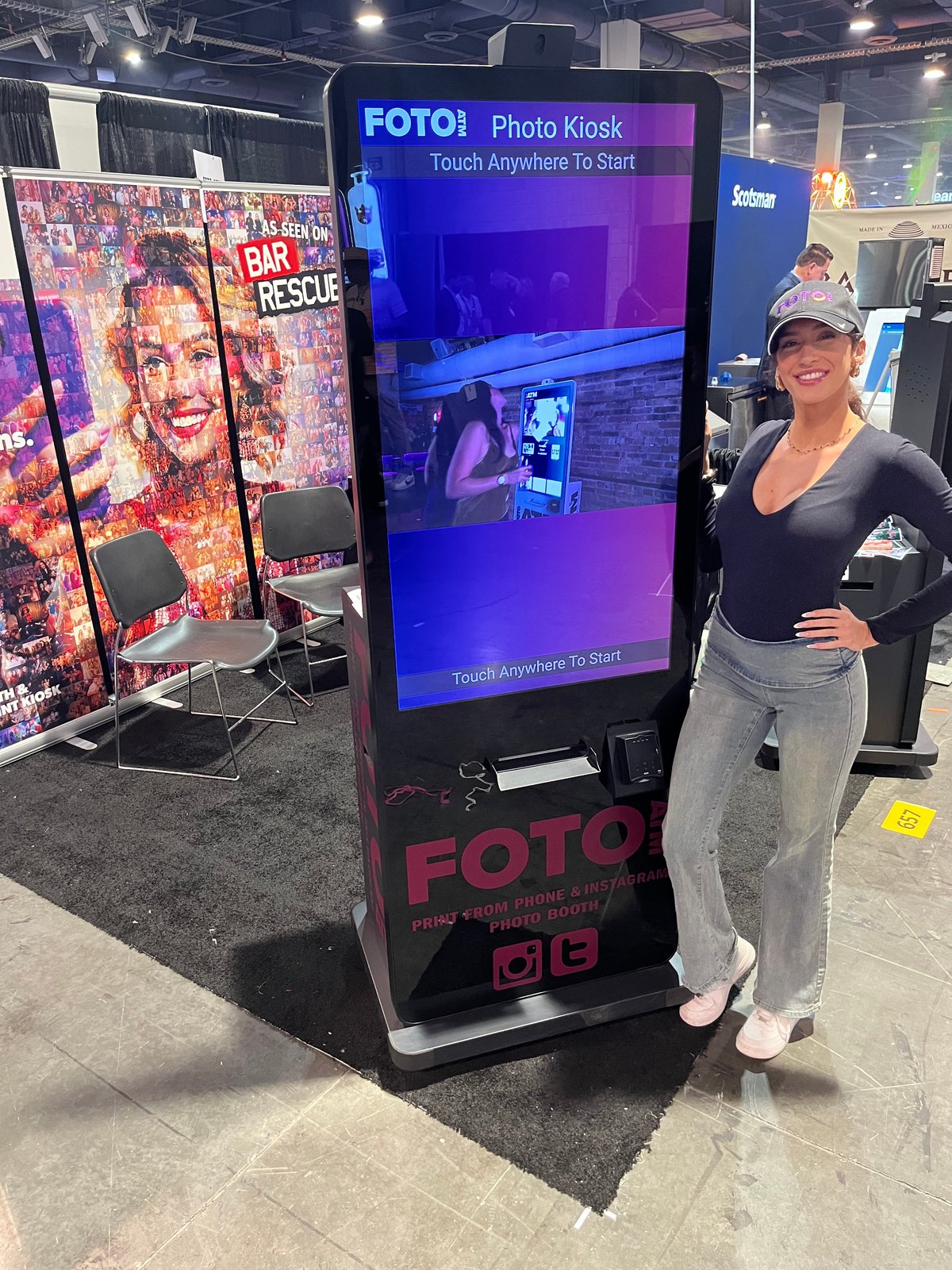
Automated photo queues are transforming events by solving common problems like long lines and slow photo processing. These systems use kiosks and cloud-based software to deliver fast, branded photos directly to attendees’ devices or as prints. They also integrate with social media, allowing instant sharing and creating buzz around your event. This approach not only improves attendee satisfaction but also provides real-time data on engagement, helping organizers measure success and refine future events.
Key Benefits:
-
Faster Process: Reduces wait times compared to traditional photo setups.
-
Social Media Integration: Attendees can instantly share branded photos, increasing event visibility.
-
Data Insights: Provides real-time analytics on engagement and peak activity.
-
Custom Branding: Tailors photo frames, kiosks, and more to match your event theme.
-
Ease of Use: Intuitive interfaces ensure smooth experiences for all attendees.
Why It Matters: Engagement is critical for event success. Automated photo queues turn passive attendees into active participants, encourage social sharing, and leave a lasting impression. Plus, they streamline operations, saving time and reducing staffing needs.
With proper planning – like placing kiosks in high-traffic areas, ensuring accessibility, and aligning with attendee preferences – these systems can elevate any event.
Event Workflow – Capture & Print and Auto Print – Darkroom Core
Key Benefits of Automated Photo Queues
Automated photo queues, like those featured in Foto ATM’s kiosks, bring practical advantages that enhance attendee engagement and leave a lasting impression well beyond the event itself.
Boosting Interaction and Participation
One standout benefit of automated photo queues is how they shift attendees from passive observers to active participants. With real-time text alerts delivering photos straight to their smartphones, attendees are encouraged to share their experiences immediately, fostering stronger connections and heightened engagement.
This setup allows attendees to stay immersed in the event while their moments are captured effortlessly. The result? More natural interactions and a richer, more memorable experience.
AI-driven personalization takes this a step further. By using facial recognition, these systems can tag individuals in photos and send them tailored collections, making each attendee feel recognized and appreciated. Albums are automatically created for key moments – whether it’s the opening speech, breakout sessions, or the after-party – offering attendees a complete way to relive the event.
Beyond the event, these photos turn attendees into unofficial ambassadors. By sharing high-quality, branded images, they help amplify the event’s reach, with each post serving as free promotion.
Key Features of Automated Photo Queues
Automated photo queue systems bring together cutting-edge hardware and software to create an engaging, hassle-free experience for event attendees. These systems are designed to simplify processes for event organizers while adding a touch of fun and creativity for participants.
Core Technologies Behind Photo Queues
One standout feature is QR code scanning, which makes joining the photo queue a breeze. Attendees simply scan a code with their smartphones, skipping manual check-ins entirely. It’s quick, efficient, and eliminates unnecessary delays.
Another game-changer is AI-powered green screen technology. This smart tool uses algorithms to detect subjects and separate backgrounds in real time, letting users choose from a variety of creative backdrops. Foto ATM’s kiosks, for instance, use this feature to make every photo unique and memorable.
Cloud-based software takes the experience further by processing photos instantly and delivering them directly to attendees’ devices. Even after the event, these photos remain accessible, ensuring attendees can relive the memories anytime.
The hardware completes the package: high-resolution cameras ensure professional-quality images, touchscreen interfaces guide users through the process, and on-demand printers provide physical copies in seconds. These technologies work seamlessly together and integrate with event platforms to enhance both connectivity and user satisfaction.
Integration with Social Media and Event Platforms
Modern photo queue systems don’t just stop at taking pictures – they’re built to amplify the event’s reach. By connecting directly to popular social media platforms, they allow attendees to share photos instantly, complete with event-specific hashtags. Every shared image becomes a piece of marketing content, organically extending the event’s visibility.
These systems also come equipped with integrated payment options, supporting EMV chip cards and cash payments via built-in card readers and bill acceptors. This flexibility not only improves the attendee experience but also opens up additional revenue streams for organizers.
For event planners looking to fine-tune their strategy, analytics dashboards provide real-time data on engagement and other key metrics. This allows for on-the-spot adjustments to optimize the event experience.
Custom Branding and Personalization
Customization is another highlight of automated photo queues. From the kiosk interface to photo frames, watermarks, and background options, every element can be tailored to reflect the event’s branding. Features like an advertising carousel add even more marketing potential by displaying branded content during photo sessions.
But it doesn’t stop at visuals. These systems also offer white-label options and secure designs, ensuring a consistent brand experience while maintaining equipment safety in busy environments. Whether it’s an indoor conference or an outdoor festival, the branding remains front and center.
To keep everything running smoothly, remote management tools allow support teams to monitor and troubleshoot systems from anywhere. This minimizes downtime and ensures everything operates seamlessly, even during multi-day events.
Step-by-Step Guide to Setting Up Photo Queues
Photo queues can be a game-changer for events, but setting them up requires thoughtful planning. From understanding your event’s unique needs to configuring the right technology, the process ensures a smooth and engaging experience for your attendees.
Assessing Event Needs and Goals
Start by evaluating the flow of your event. Observe where attendees naturally gather during busy times – these high-traffic areas are often perfect spots for photo kiosks. People tend to linger in these areas, making them ideal for capturing attention.
The number of kiosks you’ll need depends on your event’s size and duration. A two-day conference with 500 attendees can get by with fewer kiosks than a weekend festival hosting 2,000 visitors. For larger events, deploying enough kiosks is critical to avoid long lines and frustrated guests.
Budget planning is another key step. Review available kiosk models and consider volume discounts to align with your event’s scale. Monthly software costs typically range from $49 to $299, depending on the features you need, so factor this into your budget early.
Define what you want to achieve. Are you aiming for social media buzz, attendee satisfaction, or perhaps revenue generation? If social sharing is your goal, prioritize kiosks with hashtag integration capabilities. For events focused on revenue, make sure payment options are ready to go.
Setting Up Hardware and Software
Choosing the right hardware depends on your venue and the vibe you’re going for. For example, the Vista Kiosk with its 49-inch touchscreen is ideal for spacious venues like convention centers or outdoor festivals. Meanwhile, the Vero Kiosk, with a more compact 32-inch display, is better suited for smaller spaces like hotel conference rooms or restaurants.
If your event involves payments, plan ahead. Order payment components like EMV readers ($499) or bill acceptors ($399) well in advance. Test these systems at least 48 hours before your event to ensure they’re working smoothly.
When it comes to software, pick a subscription plan that suits your needs. The Standard plan ($49/month) covers basic features like real-time analytics, while the Professional plan ($119/month) adds extras like AI green screen effects and white-label branding. For larger-scale events, the Enterprise plan ($299/month) includes dual licenses and advertising tools.
Don’t forget to customize your kiosk’s visuals. Upload your event logo and design photo frames that match your branding. These little touches make a big impression and tie your photo experience into the overall event theme.
Make sure your internet connection is reliable. Prepare mobile hotspots as a backup to avoid any disruptions. Tailor these technical details to meet the expectations of US audiences, who often demand seamless connectivity.
Optimizing for US Event Preferences
To get the most out of your photo queues, it’s essential to align your setup with what US attendees expect. Americans value quick, easy-to-use experiences, so keep instructions simple and intuitive. Ideally, the entire photo process should take no more than 60 to 90 seconds.
Accessibility is a must. Position kiosks at heights that are wheelchair-friendly and ensure there’s enough space for easy movement. Touchscreens should accommodate users with different physical abilities, and you might even consider adding audio prompts for visually impaired guests.
Privacy is another priority for US audiences. Clearly explain how photos will be used and allow attendees to opt out of social sharing while still enjoying the photo booth. Make sure your data practices comply with privacy regulations to build trust with your guests.
Social media integration should focus on platforms popular in the US, like Instagram, Facebook, and TikTok. Set up automatic sharing with event-specific hashtags so attendees can easily share their photos online.
Before the event, test your setup with a variety of users. Include people of different ages and tech skill levels to identify any usability challenges. This kind of beta testing can reveal issues you might not have spotted otherwise.
Staffing needs will depend on the type of event. Corporate gatherings typically require minimal oversight since attendees are often tech-savvy. On the other hand, public festivals might benefit from having staff on hand to assist users and keep the equipment clean. A general rule is to have one staff member for every two to three kiosks during peak times.
For outdoor events, weather protection is crucial. Invest in flight cases ($949) to shield equipment during transport and provide resistance against the elements. Also, consider how seasonal conditions – like extreme heat or cold – might impact touchscreen responsiveness or printer performance.
sbb-itb-3201140
Manual vs. Automated Photo Queues: A Comparison
Managing photo operations at events often comes down to two approaches: manual processes or automated systems. While manual methods might seem straightforward, they come with hidden costs – like photographer fees and the need for extra staff to handle registration, coordination, and printing logistics. These costs can snowball as the size of the event grows.
For small gatherings, a single photographer may suffice. But as the guest list expands, so do the challenges. Larger events often require more staff, which can lead to delays and bottlenecks, leaving attendees frustrated. On the other hand, automated photo queues offer a streamlined alternative. Take the Foto ATM Vista Kiosk, for example. While the initial investment is $7,999, the savings on labor costs over time make it a smart financial choice. Automation eliminates the need for extra staffing and ensures a smooth, consistent experience.
The time savings are another major advantage. Manual processes often take several minutes per attendee due to coordination, posing, and printing delays. In contrast, automated kiosks speed things up, reducing wait times and keeping the event running smoothly. Plus, automation minimizes human errors like lost photos or incorrect prints, ensuring a reliable experience every time.
Here’s a quick look at how manual and automated photo queues stack up:
Comparison Table: Manual vs. Automated Queues
| Factor | Manual Photo Queues | Automated Photo Queues |
| Initial Investment | Low upfront costs for basic equipment | Around $4,999–$7,999 for Foto ATM kiosks |
| Ongoing Labor Costs | High due to hourly staffing | Subscription pricing ($49–$299/month) |
| Processing Time | Several minutes per attendee | Faster, streamlined process |
| Scalability | Requires more staff as event size grows | Handles large crowds with ease |
| Data Collection | Manual and error-prone | Real-time analytics and reporting |
| Social Integration | Separate steps needed to share photos | Instant sharing with hashtag integration |
| Consistency | Varies with photographer skill | Consistent, standardized experience |
| Peak Hour Performance | Bottlenecks and long wait times | Supports multiple users simultaneously |
| Customization | Limited by photographer creativity | AI green screen, custom branding options |
| Accessibility | Dependent on photographer’s setup | ADA-compliant touchscreen interfaces |
These differences highlight how automation can transform photo operations, offering efficiency and reliability that manual methods struggle to match.
One standout advantage of automated systems is their ability to streamline data collection. Instead of relying on staff to manually track contact details and photo counts, automated kiosks provide real-time insights. You can easily access data on peak usage times, popular photo styles, or social media engagement – valuable information for planning future events and reporting to sponsors.
Automation also frees up your team’s time. Tasks like data entry, organizing photos, and follow-up communications are handled by the system, allowing staff to focus on engaging with attendees and addressing immediate needs. This shift not only improves efficiency but also enhances the overall event experience.
Weather and venue challenges further underscore the benefits of automation. Outdoor events, for instance, often require extra equipment protection and contingency plans when using manual photography. Automated kiosks, however, are built to handle such conditions with ease, offering durability and reliability.
Ease of use is another key feature. Manual systems require skilled photographers who understand lighting, composition, and crowd management. Automated kiosks, with their intuitive touchscreen interfaces, are simple enough for most attendees to use with minimal guidance. Staff involvement is limited to occasional troubleshooting or maintenance.
For events focused on creating social media buzz, automation is a game-changer. Automated systems allow attendees to share photos instantly with event-specific hashtags, amplifying your online presence and driving organic promotion. It’s a win-win for both event organizers and participants looking for that instant gratification.
Best Practices for Maximizing Event Engagement
Making the most of your photo queue system goes beyond just setting up the equipment. With thoughtful planning around where you place it, how you promote it, and ensuring everyone can use it, a simple photo kiosk can become a lively centerpiece for your event.
Smart Placement and Clear Signage
Where you position your photo kiosks matters. High-traffic areas like entrances, near bars, or close to food stations are perfect spots to grab attention. Rest areas and networking zones also work well since guests often linger there, giving them time to engage.
Keep kiosks in visible, quieter areas with enough space for people to comfortably gather without interrupting the event’s flow. Use bold, event-themed graphics and clear instructions like “Take Your Photo Here” to draw people in. Adding QR codes that link directly to the kiosk’s interface or sharing options can make participation even easier.
For an extra touch, showcase live displays of recent photos to create buzz. Seeing others join in often encourages more guests to participate. Once your kiosks are well-placed, it’s time to focus on making sharing those photos effortless.
Encouraging Social Media Sharing
Turn every photo into a mini promotion for your event by using custom overlays that include your event hashtag and branded frames. These small touches make each photo feel unique while boosting your event’s visibility online. Display the event hashtag prominently on screens and signage to remind attendees to share their pictures and help spread the word.
This strategy not only promotes your event but also creates a sense of community among attendees as they see their moments shared.
Ensuring Accessibility and Compliance
An inclusive photo setup isn’t just thoughtful – it’s often required. Place kiosks in easy-to-reach areas with clear, unobstructed pathways. Use high-contrast displays, readable fonts, and audio prompts to accommodate guests with different abilities.
Privacy is another key consideration. Be transparent about how photos and data will be used, provide opt-in options for marketing communications, and make it simple for users to request photo deletion if needed.
Keep cultural sensitivities in mind, too. Offer additional assistance or alternative options to ensure all guests feel welcome. Conducting user testing with a diverse group before the event can help identify and fix any potential accessibility issues.
Conclusion: The Impact of Automated Photo Queues
Automated photo queues offer a modern way to boost event engagement, leaving outdated photo setups in the past. By cutting out manual delays and introducing instant interaction, they change how attendees engage with your event and with each other.
Shorter wait times and higher participation rates give organizers a better understanding of what truly connects with their audience. Plus, the technology behind these systems is easy to implement but still delivers polished, professional results. Placing them strategically in busy areas, using clear signage, and tying them into social media can keep the energy high and the interactions flowing.
What makes these systems stand out is their ability to elevate the event experience. Each shared photo acts as free promotion, reaching people you might never reach otherwise. It extends your event’s reach far beyond the venue, helping to grow a sense of community around your brand while offering measurable returns through increased visibility and happier attendees.
FAQs
How do automated photo queues enhance attendee engagement at events?
Automated photo queues bring a fresh twist to events by making it easier than ever for attendees to snap and print photos on the spot. This interactive approach adds an element of fun and creates lasting memories, encouraging guests to join in and share their experiences both at the event and across social media.
With shorter wait times and a streamlined photo process, these systems keep the energy high and the event flowing smoothly. The instant joy of receiving a printed photo not only leaves guests smiling but also adds to the vibrant atmosphere, turning the event into a more engaging and unforgettable experience for everyone.
What makes automated photo queues so effective at engaging event attendees?
Automated photo queues work wonders at events by using cutting-edge technology to deliver a fun and hassle-free experience for attendees. Features like AI-driven photo enhancements – such as automatic lighting corrections, background swaps, and facial recognition – help produce stunning, professional-quality images in just seconds.
On top of that, high-speed printing ensures guests can walk away with crisp, vibrant photos almost immediately, keeping lines short and the event running smoothly. Plus, with built-in social media sharing options, attendees can post their favorite moments in real-time, spreading the buzz and adding a layer of interaction. When you factor in remote management tools, automated photo queues become a game-changer for creating memorable and engaging event experiences.
How can event organizers make automated photo queues accessible and inclusive?
To make automated photo queues welcoming and usable for everyone, event organizers should adhere to ADA standards and WCAG 2.1 guidelines. This means incorporating features like clear signage, accessible pathways, and kiosks with adjustable interfaces to support individuals with disabilities.
Physical accessibility is key – think ramps and kiosks positioned at heights that are convenient for all users. On the digital side, features such as screen reader compatibility and captions are crucial. These steps don’t just fulfill legal obligations; they help create an inclusive and enjoyable experience for every attendee.
Ready to add passive revenue to your venue? Take the 60-second kiosk quiz to find your perfect match, or compare all models side by side.