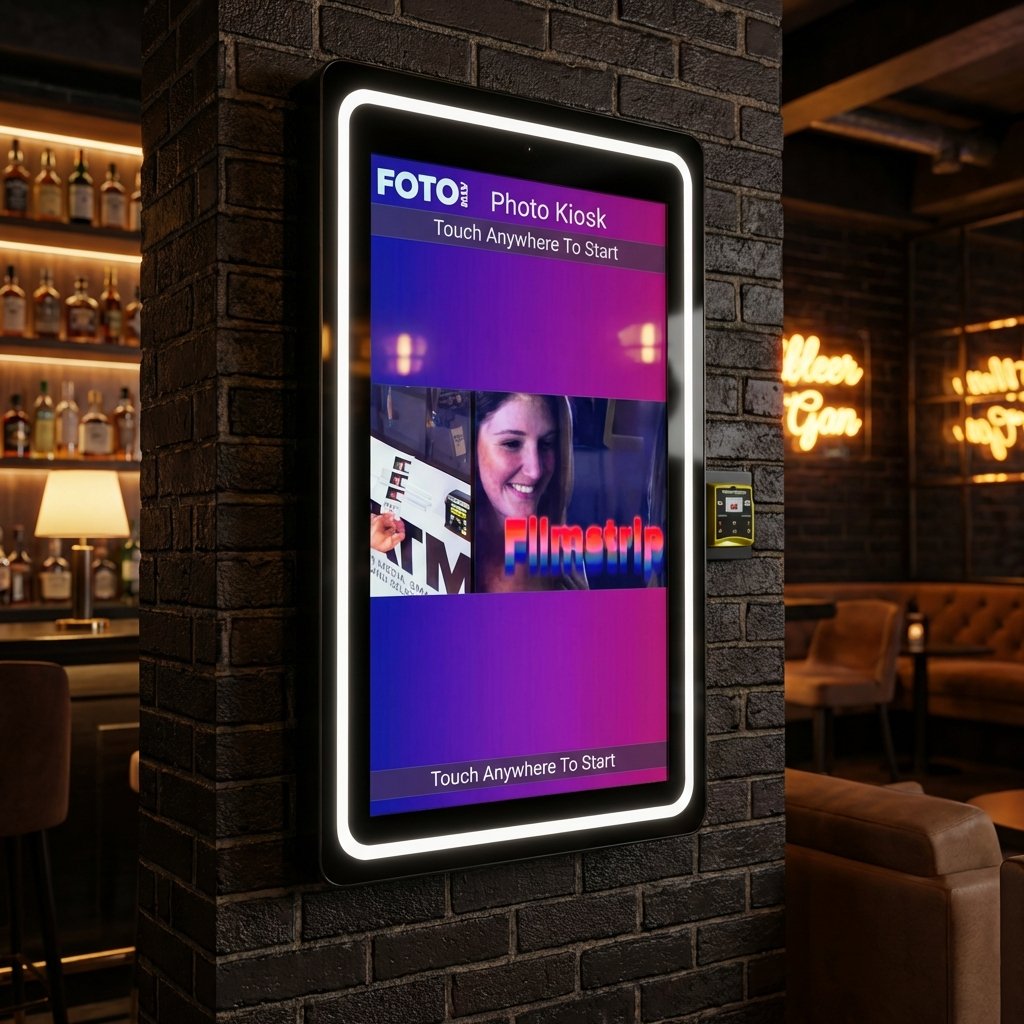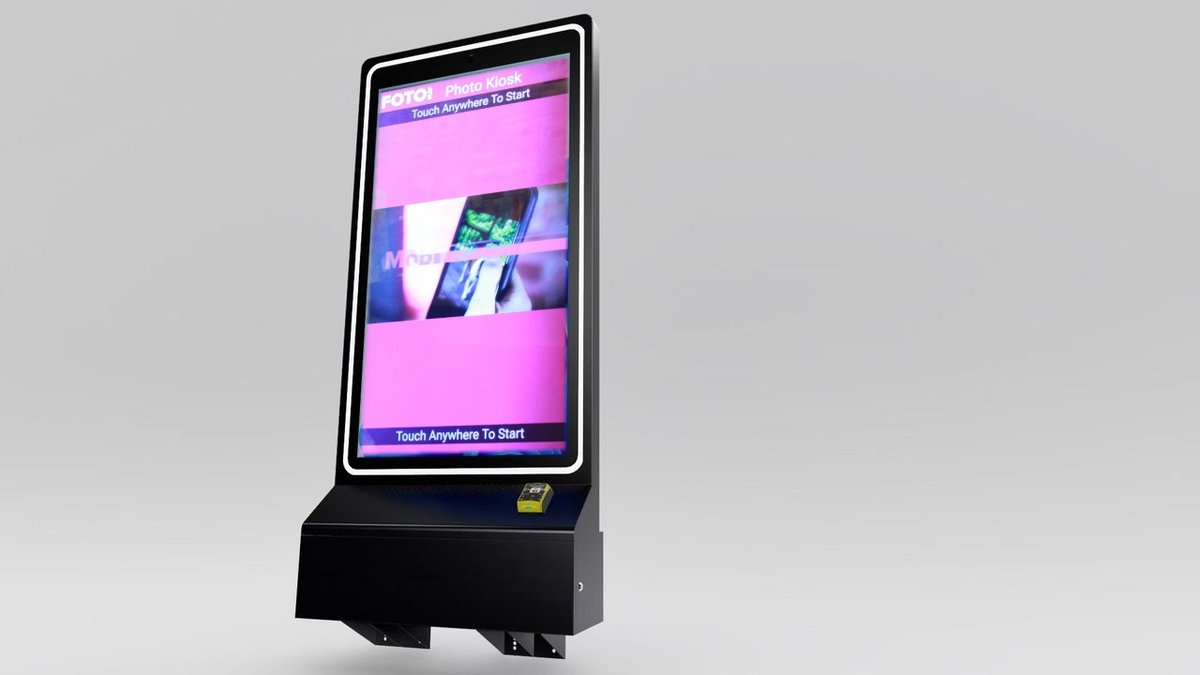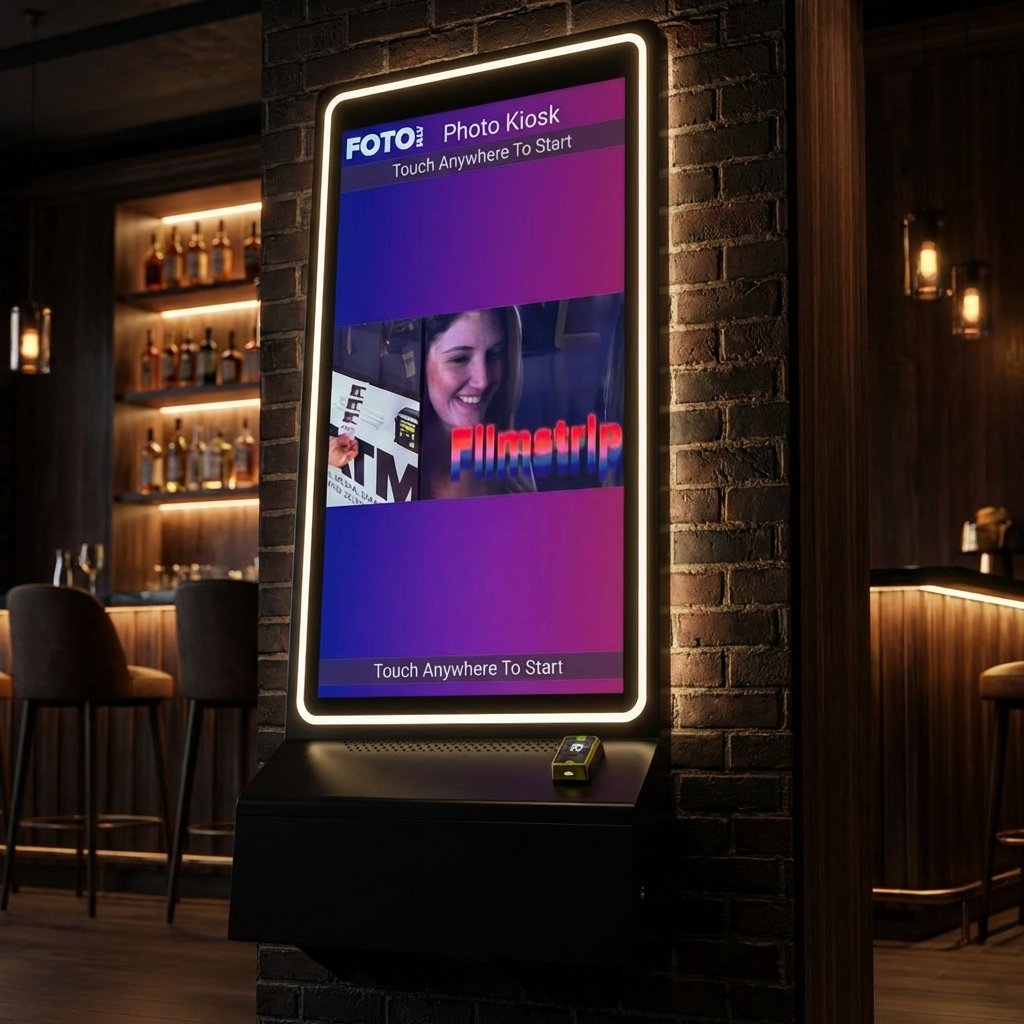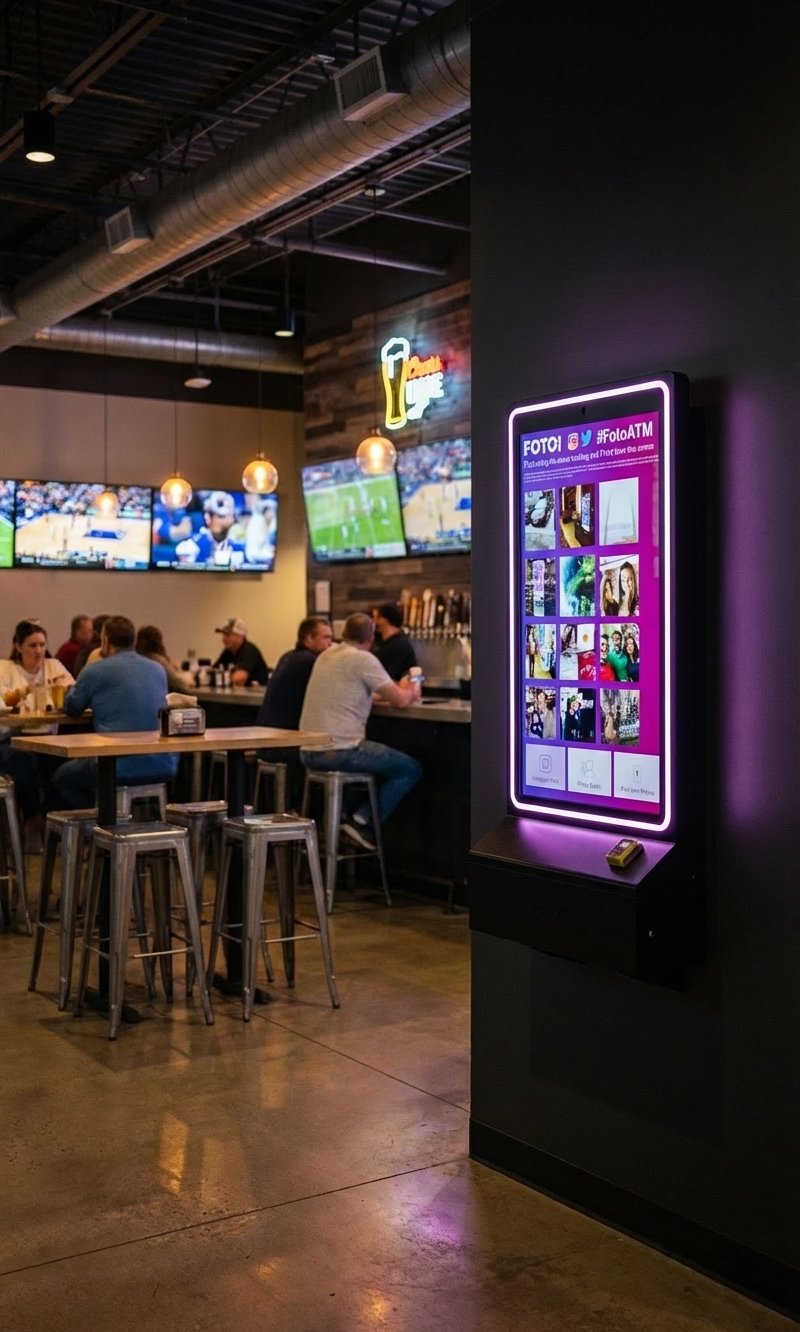
Want to boost your business or event with a photo kiosk? Cloud-based photo kiosks make it easier, more efficient, and profitable. Here’s why and how you can set one up:
-
Why Cloud-Based? Operates 24/7, cuts costs, offers contactless payments, and allows instant social media sharing for brand exposure.
-
Key Features: AI editing, customizable filters, green screens, and real-time data collection for smarter decisions.
-
Setup Essentials: Combine quality hardware (camera, touchscreen, printer) with intuitive cloud software for remote management and social media integration.
-
Network Needs: Strong internet connection for smooth operations and remote updates.
-
Maximize ROI: Use dynamic pricing, bulk discounts, and new tech like AR filters to attract more users.
This guide will show you step-by-step how to set up your kiosk, maintain it, and grow your revenue. Ready? Let’s dive in!
Kiosk Tutorial – Photo Party Upload [UPDATED]
Key Components of a Cloud-Based Photo Kiosk
Creating a reliable cloud-based photo kiosk involves bringing together three essential components: hardware, software, and network connectivity. Each piece plays a critical role, and understanding their functions helps you make smart decisions to ensure your kiosk runs smoothly and meets customer expectations.
Hardware Requirements for a Reliable Setup
At the heart of any photo kiosk is its hardware. A well-designed setup includes four key elements: a camera, touchscreen display, printer, and a protective enclosure. These components work together to deliver a seamless user experience.
When choosing a base device, consider laptops, desktops, or tablets. Tablets, in particular, stand out for their compact design and portability. For the display, capacitive touchscreens are highly recommended – they offer better accuracy and clearer visuals compared to resistive alternatives.
Mounting your kiosk securely is equally important. Wall or stand-mounted kiosks provide stability and reduce the risk of theft. If your kiosk requires badge identification, you can integrate tools like a barcode scanner or RFID reader.
Durability is a must, especially in high-traffic areas. Opt for commercial-grade components, which, while pricier upfront, save money in the long run by minimizing repairs and replacements. For environments like offices or venues that handle document scanning, adding a reliable scanner is essential. Multifunction printers (MFPs) – which combine printing, scanning, copying, and faxing – are a great choice for more comprehensive setups. Look for features such as Automatic Document Feeders (ADF), duplex scanning, and network connectivity through Wi-Fi or Ethernet.
Software Requirements for Cloud Integration
The software behind your photo kiosk determines its functionality and ease of management. Cloud integration is key, enabling remote monitoring, real-time updates, online storage, and even social media sharing.
A good user experience starts with a well-designed interface. A simple, intuitive interface ensures that even non-tech-savvy users can navigate the system with ease. In fact, studies show that over 60% of consumers prefer self-service options for straightforward tasks.
“Kiosks are user friendly – It is easy to use and available in multiple languages. It has simple commands and it is easily understandable by everyone.” – Celestino Bernier, Former Marketer
Key software features include customizable templates, branding options, and filters, which enhance user engagement. Social media integration lets users share their photos instantly, while payment integration ensures secure transactions. For inclusivity, prioritize software with multilingual and accessibility options.
Data collection is another critical feature. Your software should provide insights into user behavior and kiosk performance through analytics. These tools allow you to track engagement, evaluate system performance, and gather customer feedback. Here’s a quick breakdown:
| Features and Functions | Description |
| Data Collection | Gather user data for marketing purposes. |
| Analytics | Gain insights into popular features and user preferences. |
| Performance Evaluation | Track usage statistics to measure effectiveness. |
| User Feedback | Collect feedback to improve customer satisfaction. |
| Custom Reports | Generate detailed reports for informed business decisions. |
The demand for advanced digital kiosks is on the rise, with the market expected to grow by $11.5 billion between 2022 and 2027, at a Compound Annual Growth Rate (CAGR) of 7.94%.
Network and Connectivity Requirements
No matter how good your hardware and software are, a strong network is essential for your kiosk to perform reliably. Network connectivity impacts everything from speed to user satisfaction, making it a crucial part of your setup.
Optimized networks can significantly boost productivity – by up to 40% – while cutting downtime by 60%. This highlights the importance of investing in robust network infrastructure.
“Optimization is a series of strategic actions aimed at enhancing the speed, reliability, and capacity of a network. By implementing optimization strategies, businesses can ensure smooth operations, improved user experiences, and higher productivity.” – The CTO Club
Several factors can affect network performance, including outdated hardware, congestion, poor configurations, and even environmental conditions. To avoid these pitfalls:
-
Regularly update network hardware, such as switching to Cat6 or Cat7 cables for faster connections.
-
Use Quality of Service (QoS) policies to prioritize essential traffic and allocate bandwidth effectively.
-
Implement strong security protocols, including firewalls, intrusion detection systems, and anti-malware tools.
The physical setup also matters. Store network equipment in controlled environments with stable temperatures and humidity levels. Use uninterruptible power supplies (UPS) to protect against power outages.
“Networks need to be reimagined in favor of continuity and resilience. Network consolidation and integration of external services for both reach and on-demand resource availability is more important than ever.” – Bob Woolley, Center for Digital Government
For cloud connectivity, you can use public internet, direct network connections, or cloud internet exchange brokers. Experts recommend over-provisioning bandwidth to handle peak usage without performance dips.
Regular maintenance is key to keeping your network in top shape. Conducting periodic audits and segmenting your network with VLANs can prevent minor issues from escalating into major disruptions. With these elements in place, you’re well-positioned to set up a high-performing photo kiosk.
Step-by-Step Setup Guide for Your Photo Kiosk
This guide will walk you through the process of setting up your photo kiosk, from unpacking the hardware to launching a fully operational system ready to serve customers.
Installing and Connecting Hardware
Start by selecting the essential hardware components: a touchscreen display, a player/computer (like a Mini-PC, Android box, Raspberry Pi, or an all-in-one touchscreen PC), a secure enclosure, and any peripherals such as printers, scanners, NFC/RFID readers, speakers, cameras, or payment devices. Using standard PC components can help ensure reliability and make future upgrades easier.
Modern kiosks often feature compact designs paired with larger screens to meet evolving retail demands. Before diving in, test all hardware for compatibility and document your setup process. This step can save you from costly delays or troubleshooting down the road.
Begin by installing the enclosure. Make sure it’s secure, well-ventilated, and compliant with ADA standards. This is also a great time to think about branding – customizing the enclosure with logos or colors can enhance your kiosk’s presence. Pay close attention to cable management, securing all cables and using tamper-resistant screws to protect against tampering.
Power reliability is key to uninterrupted operation. Install an uninterruptible power supply (UPS) to safeguard your kiosk from power outages or voltage fluctuations. This not only prevents data loss but also protects your hardware from potential damage.
For network connectivity, prioritize Ethernet for its stability but ensure Wi-Fi is available as a backup. Secure all connection points and run cables through protective conduits for added durability.
When mounting your kiosk, choose a location and method (wall-mounted or stand-mounted) that offers stability and security. Ensure the mounting hardware can support the kiosk’s weight and handle the stress of user interactions.
Once your hardware is installed and tested, you’re ready to move on to the software setup.
Setting Up Cloud Software
Cloud software enables remote management and user access via QR codes or access codes. Many platforms are designed for easy integration, often requiring little to no technical expertise.
Start by creating an account on your chosen cloud platform. Configure your event settings 5–7 days before the launch to allow time for any adjustments. Personalize your event microsite with branding elements like banners, logos, and colors. Many platforms also let you customize galleries to showcase photos and videos professionally.
Set up data collection features to gather customer information such as emails, phone numbers, or WhatsApp contacts. This data can be used for future marketing campaigns and to grow your customer base.
Activate analytics tools to monitor page views, unique visitors, and social referrers. These insights can help you fine-tune your kiosk’s performance over time. Additionally, some cloud services offer AI-powered features like background removal, face swapping, and cartoon effects. Ensure your internet connection is stable to make full use of these features.
Don’t forget to set up payment integration so users can purchase prints directly from your kiosk or website. This creates an additional revenue stream beyond your service fees.
Testing and Launching Your Kiosk
Before going live, comprehensive testing is essential to ensure smooth operation. Start by updating your operating system and photo kiosk app to avoid compatibility issues. Make sure your device has at least 5GB of free storage to handle queued uploads.
Pre-sync your settings before arriving at the venue. This minimizes potential connectivity issues, especially if the venue’s Wi-Fi is unreliable. Take test shots to check backdrop placement, lighting, and photo delivery times. Use the kiosk’s Test Mode to fine-tune these settings.
Enable Guided Access to prevent users from exiting the photo booth application. This ensures the kiosk remains focused on its intended purpose.
Perform a preflight check to review all settings and permissions. Test the printing functionality thoroughly, and have backup solutions ready – like a mobile hotspot, extra cables, or spare power sources – in case of technical issues.
Lock the device’s screen orientation to prevent accidental rotation during use. After launching, monitor your kiosk’s performance to address any issues that might arise, especially those related to internet connectivity.
Document your testing process and create a packing checklist for future deployments. This ensures you have all necessary equipment and backups, making it easier to scale your operations as you expand to additional locations.
sbb-itb-3201140
Tips for Smooth Daily Operations
Running a photo kiosk successfully means staying on top of maintenance, creating a user-friendly experience, and leveraging remote tools for oversight. A few simple practices can go a long way toward keeping things running smoothly and ensuring happy customers.
Regular Maintenance and Troubleshooting
Daily upkeep is crucial for keeping your kiosk in top shape. Start by cleaning touchscreens with a soft cloth and mild cleaning solutions to avoid damage and extend their lifespan. High-traffic locations might require more frequent cleaning to prevent dirt and germs from accumulating. Adding durable screen protectors can also help prevent scratches and smudges over time.
Keep your software updated to maintain both security and performance. Regular firmware updates are a must. Make a habit of inspecting hardware weekly – check for flickering screens, unresponsive touch areas, loose cables, and ensure proper ventilation. Don’t forget to test peripherals like printers, card readers, and payment devices as part of your routine.
If connectivity issues pop up, verify the internet connection, check that the router isn’t blocking the Local Print Service (LPS), and ensure all cables – USB, power, and network – are securely connected. Monitoring system resources can also help identify any potential issues before they affect performance.
Placement matters too. Keep kiosks out of direct sunlight and adjust the display brightness to match the surrounding light. In areas prone to vandalism, consider adding protective measures like screen covers during off-hours.
Staying on top of maintenance not only keeps your equipment in good condition but also improves the overall experience for users.
Improving User Experience
A great user experience is the heart of any successful kiosk. Start by ensuring your setup complies with accessibility standards, such as ADA guidelines for kiosk height, so everyone can use it comfortably. Test the user interface regularly to make sure photo-taking and transaction processes are simple and intuitive.
Photo quality plays a big role in customer satisfaction. Keep an eye on lighting conditions, adjust the camera’s positioning, and tweak backdrops throughout the day to ensure sharp, appealing images. Refresh the interface by updating promotional content, seasonal backgrounds, and featured photo templates to keep things engaging. Foto ATM’s customizable advertising carousel is a great way to showcase new options and boost revenue.
Daily payment testing is another must. Verify that all payment methods work smoothly and that receipts print correctly. Provide clear, easy-to-follow instructions on-site, and consider offering multilingual support to make the system accessible to first-time or non-native users.
Remote Monitoring and Management
Remote monitoring tools can help you stay in control, even when you’re not on-site. Cloud-based platforms make it easy to oversee multiple kiosks from one dashboard. Foto ATM’s real-time analytics, for example, let you track usage patterns, revenue, and overall performance.
Set up alerts for issues like low printer paper, payment errors, or connectivity problems so you can address them quickly. Role-based administration can simplify management by allowing you to assign custom permissions to staff, venue managers, or technical support teams.
Keep an eye on key metrics like the number of photo sessions, average transaction value, and peak usage times. Remote troubleshooting tools let you update software, adjust settings, and fix issues without needing to visit the kiosk in person, which saves time and cuts down on costs. You can also track inventory levels for supplies like printer paper and automate recurring tasks, such as software updates and data backups, to keep everything running smoothly.
Reviewing weekly performance reports can reveal trends and highlight areas for improvement. By focusing on these operational details, you’ll set yourself up for long-term success and ensure your kiosks deliver consistent value.
Maximizing ROI and Future-Proofing
Making the most of your photo kiosk investment requires smart financial planning and staying ahead with the right technology. The photo printing kiosk industry, valued at $2.13 billion in 2024, is expected to grow to $3.38 billion by 2033, with an annual growth rate of 5.2% from 2025 to 2033. This growth offers a great chance for operators to thrive if they plan strategically. A well-thought-out strategy can help you dive deeper into cost management and revenue growth.
Cost Analysis and Revenue Opportunities
Keeping a close eye on costs is essential for profitability. Cloud-based systems come with expenses like computing power, storage, bandwidth, and support services. Foto ATM offers subscription plans starting at $49/month for Standard, $119/month for Professional, and $299/month for Enterprise, with hardware costs depending on the model.
For larger-scale deployments, volume discounts of up to 30% on orders of 75–100 units can significantly reduce initial costs. When calculating ROI, don’t forget to include additional components, such as payment processing systems, to get a complete picture.
Revenue growth starts with smart placement and pricing strategies. Self-service kiosks tend to encourage 30% higher-value purchases because they offer privacy and convenience. This trend is evident in photo kiosks, where users often buy multiple prints or upgrade to premium features when they feel at ease exploring the interface.
Dynamic pricing can further boost revenue. Adjusting prices based on location, time of day, or special events can help maximize earnings. Foto ATM’s real-time analytics can help you identify peak usage times and tailor pricing accordingly. Additionally, its customizable advertising carousel creates extra income by promoting premium features, larger print sizes, or special packages.
A/B testing pricing models and promotions can reveal what works best for your audience. Experiment with different print sizes, bundle deals, and add-on services to find the most profitable combinations. Offering tiered pricing – like basic 4×6 prints versus premium options such as photo strips – can also increase your margins.
For high-traffic areas, consider subscription-based revenue models. Monthly or annual photo printing packages can provide steady income while encouraging repeat visits. This is particularly effective in locations like office buildings, universities, or residential complexes, where the same users return regularly.
Adding New Technologies
To keep your kiosk relevant, consider integrating emerging technologies that enhance user experience and revenue potential. The industry is rapidly adopting smart features like augmented reality (AR) and 3D printing to offer more engaging options.
AR filters and virtual backgrounds are becoming standard. Foto ATM’s AI-powered green screen technology eliminates the need for physical backdrops, offering endless creative possibilities. This feature appeals to younger users who are familiar with social media filters and expect similar functionality from photo kiosks.
Artificial intelligence can also elevate the user experience by suggesting photo layouts, recommending print sizes based on image content, or enhancing photo quality automatically. These tools can reduce decision fatigue for users while increasing transaction values through intelligent upselling.
Heat mapping technology is another game-changer. It tracks how customers interact with the kiosk, helping you refine placement and interface design for better results. This data shows which features draw attention and where users face challenges, so you can make improvements that boost conversions.
QR code integration bridges the gap between smartphones and kiosks. Users can start their photo session on their phone, select images, and complete the transaction at the kiosk, blending mobile convenience with high-quality printing.
“Retail media networks are becoming valuable assets in brick-and-mortar locations. By merging digital displays with retail media networks, in-store signage becomes a new channel to create a connected shopping experience, captivate shoppers, and generate new revenue streams. Used effectively to communicate your brand’s message to customers, retail media networks become the digital heart of your business.” ― Parrish Chapman, Sr. Director, Enterprise Retail Sales Key Accounts, Samsung Electronics America
Real-time data analytics can personalize promotions based on customer behavior, weather, or local events. For instance, you could offer discounted family photo packages during school holidays or highlight graduation-themed templates during graduation season.
Regular software updates are crucial to keeping your kiosks compatible with the latest smartphone models, social media platforms, and payment systems. Cloud-based platforms like Foto ATM simplify this process, often adding new features without requiring hardware upgrades.
Cloud optimization can also cut infrastructure costs by over 30%. Monitoring your cloud usage, eliminating unused resources, and adjusting computing services to fit your needs can reduce operational expenses while maintaining performance.
These strategies align with earlier advice on setup and maintenance, ensuring your kiosk remains reliable and cost-effective. The key to staying ahead is balancing innovation with practical business goals. Focus on technologies that enhance customer experience or directly boost revenue, rather than following every trend. A well-planned, cloud-based photo kiosk can evolve with user expectations while staying easy to use and dependable.
Conclusion: Start Building Your Cloud-Based Photo Kiosk Today
The photo kiosk market is projected to grow from $360 million in 2020 to $582.9 million by 2026, with an annual growth rate of 12%. With an initial investment starting as low as $3,500, you could aim for annual earnings of up to $50,000 per booth.
Cloud-based photo kiosks present a fantastic opportunity, offering low startup costs, streamlined operations, and room for expansion. For instance, Foto ATM’s subscription plans start at just $49 per month for standard features. This makes it easy to test the waters without a heavy upfront expense. Plus, the cloud infrastructure takes care of automatic updates, remote management, and scaling, so you can focus on growing your business.
To get started, pinpoint your target audience – whether it’s wedding venues, corporate events, or retail spaces. Choose hardware that fits your budget and expected volume, especially with discounts of up to 30% for bulk purchases of 75–100 units. Pair this with cloud software that aligns with your return-on-investment goals and ensure your team is trained to maximize the system’s potential.
With 92% of companies already utilizing cloud-connected services, there’s a clear advantage to adopting this technology early. Features like AI-powered green screens, social media integration, and real-time analytics are becoming must-haves for modern photo kiosks.
Begin by placing a single kiosk in a high-traffic location. Use data insights to refine your operations, then expand efficiently with the help of cloud-based tools. With the right strategy, your photo kiosk business can unlock multiple revenue streams while building strong partnerships with event venues and organizers.
The tools are ready, the market is growing, and the potential is immense. Take the first step and start your cloud-based photo kiosk business today with confidence and a solid plan.
FAQs
What are the main advantages of using a cloud-based photo kiosk over traditional kiosks?
Cloud-based photo kiosks bring a host of advantages that set them apart from traditional setups:
-
Remote Management: You can update and manage kiosks from virtually anywhere, cutting out the hassle of constant on-site maintenance.
-
Cost Savings: With lower upfront investment and reduced maintenance costs, they’re a more budget-conscious choice.
-
Scalability: Adjust operations effortlessly to meet demand without needing extra hardware.
-
Improved User Experience: Smooth integration with mobile devices and social media keeps users engaged and happy.
-
Data Insights: Gain access to detailed analytics to monitor user behavior and refine your services.
These features make cloud-based kiosks a smart, efficient option for businesses and events looking to keep up with modern demands.
How can I keep my cloud-based photo kiosk secure and running smoothly in busy locations?
To ensure your cloud-based photo kiosk stays secure and runs smoothly in busy locations, start with tamper-resistant hardware. Securely mount the kiosk to deter theft or damage. On the software side, keep all systems and applications up to date to protect against any potential security risks.
For network protection, connect the kiosk exclusively to trusted, secure networks. Use firewalls and VPNs to safeguard data exchanges, and implement strict access controls to prevent unauthorized use. Additionally, keep an eye on the kiosk’s performance and schedule routine maintenance checks to catch and address issues early.
By following these steps, you’ll keep your kiosk secure, dependable, and ready to handle heavy usage.
How can I maximize the ROI of my cloud-based photo kiosk?
To make the most of your cloud-based photo kiosk, focus on creating a standout customer experience that keeps people engaged and coming back. Add features like customizable photo templates and instant sharing options to make the experience fun and interactive. After all, satisfied customers often translate into better sales!
Dive into the data your kiosk generates to understand its performance. Use these insights to refine your operations and marketing strategies, pinpointing what resonates most with your audience. Don’t forget to integrate simple payment options to make transactions effortless. You can also use your kiosk as a branding tool at events, showcasing your business in a creative way. Even small adjustments like these can make a noticeable difference in your bottom line over time.
Ready to add passive revenue to your venue? Take the 60-second kiosk quiz to find your perfect match, or compare all models side by side.