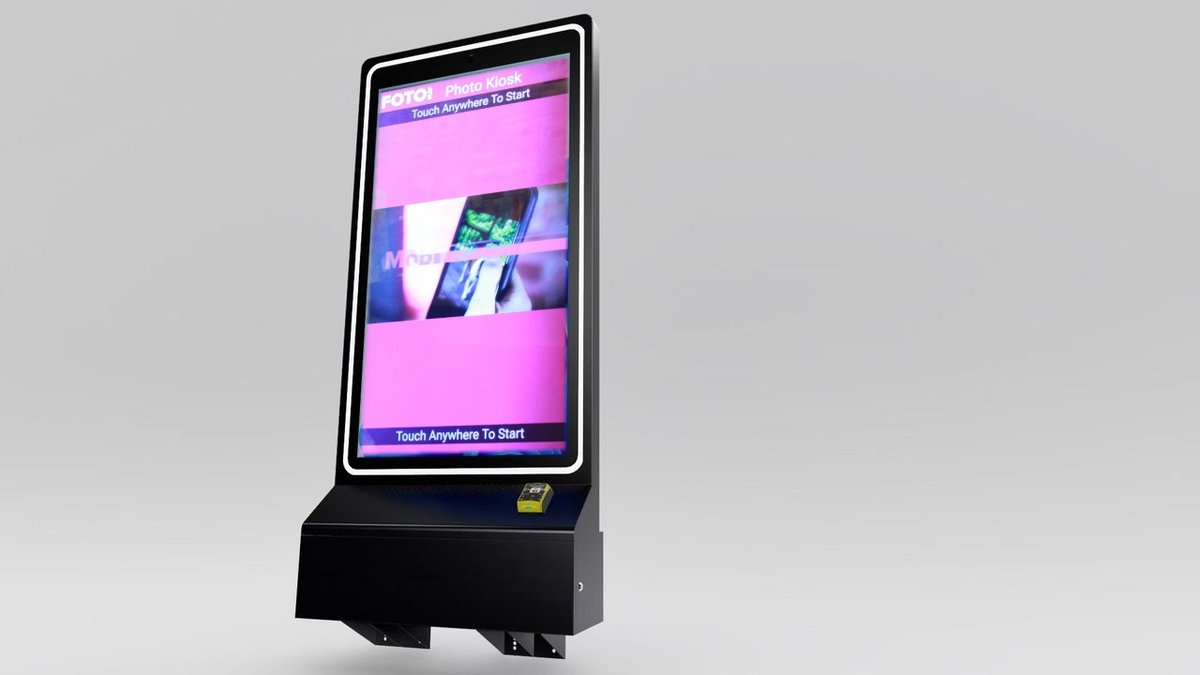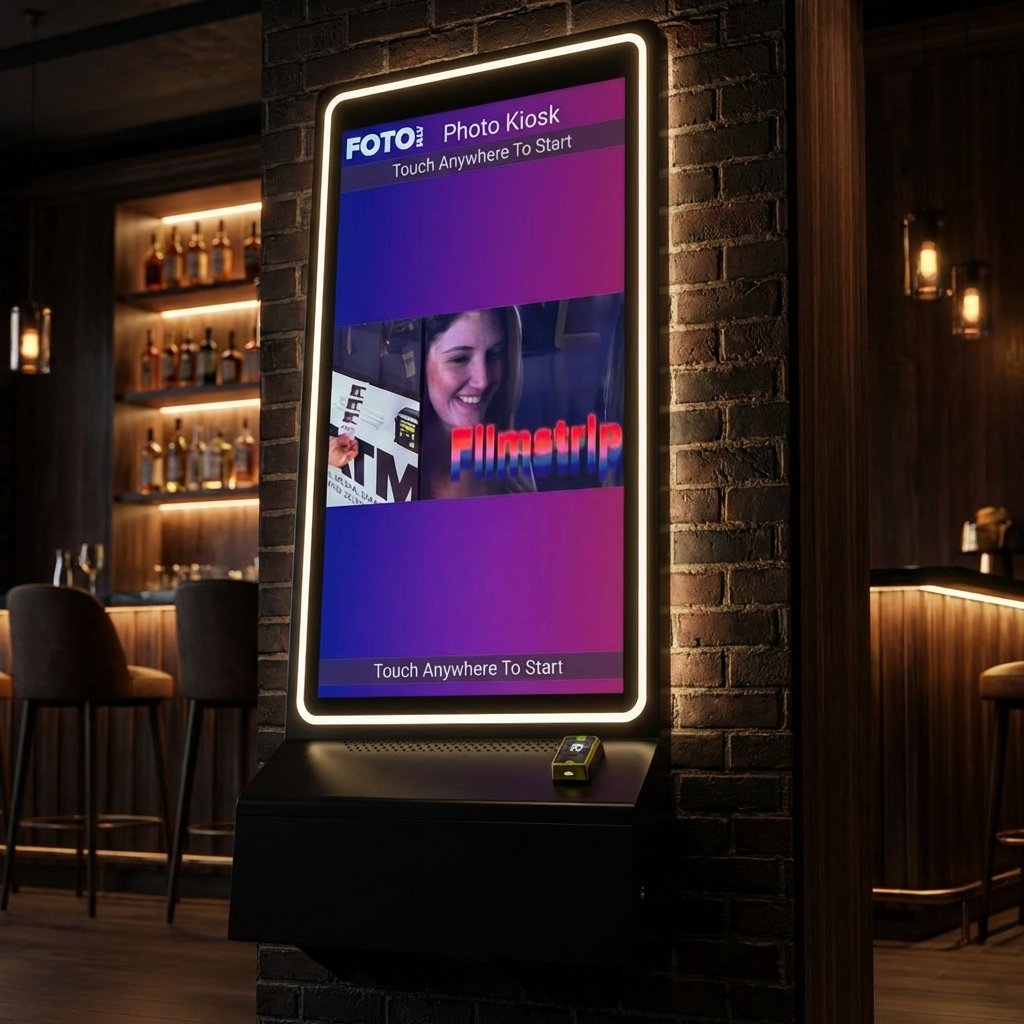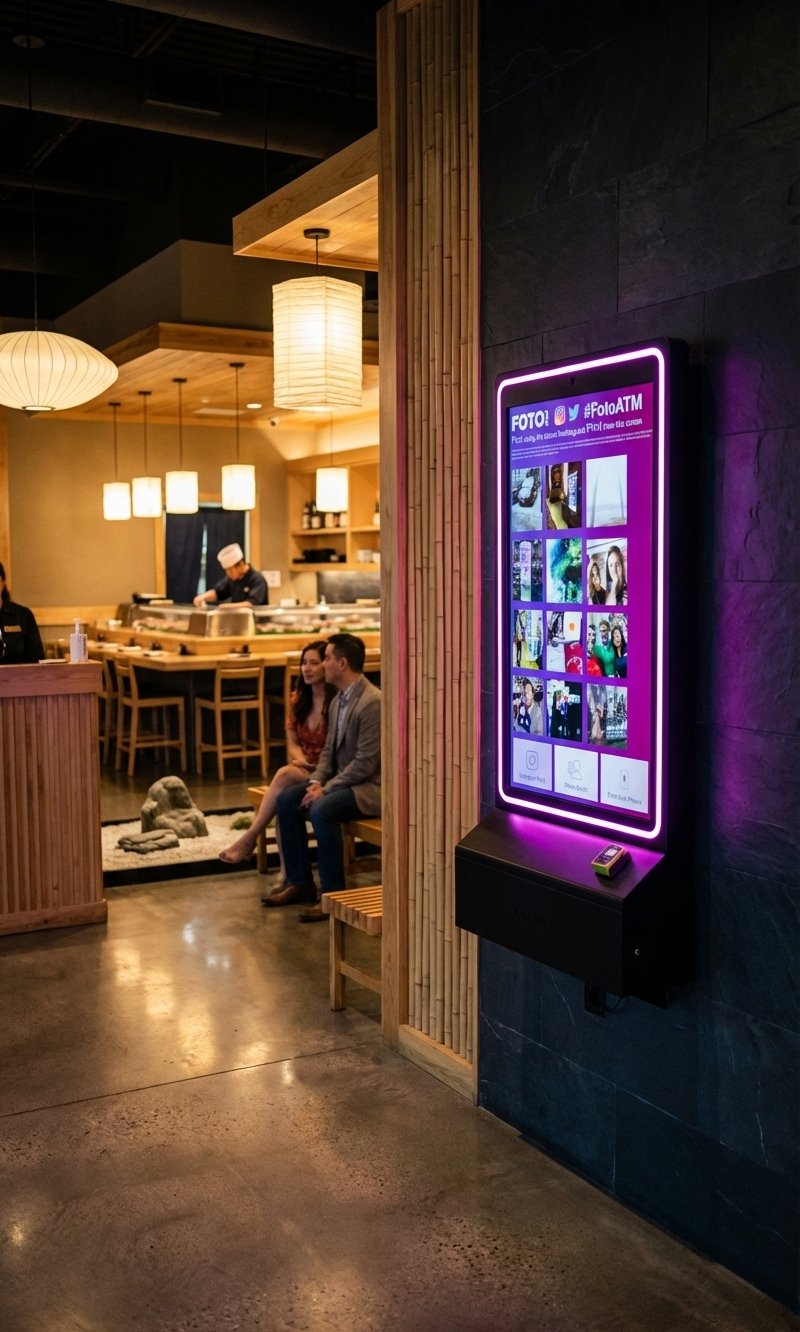
Subscription billing is transforming the photo kiosk business by replacing pay-per-use models with predictable recurring payments. This approach benefits operators by creating steady revenue streams and reducing administrative hassle. It also offers customers flexible pricing tiers and premium add-ons for tailored experiences.
Key Highlights:
-
Recurring Revenue: Monthly or annual payments replace unpredictable one-time charges.
-
Pricing Options: Flat-rate plans for simplicity or tiered pricing for scalability.
-
Premium Features: Add-ons like AI green screens or social media integration.
-
Business Use Cases: Ideal for bars, event venues, arcades, retail stores, and more.
-
Setup Needs: Cloud-based software, secure payment systems, and sturdy hardware.
Requirements for Setting Up Subscription Billing
Launching a subscription billing system for photo kiosks takes careful planning to align software features with the right hardware. The goal? Smooth operations, secure transactions, and happy customers across all your locations.
Required Software Features
A cloud-based management system is the cornerstone of an efficient subscription billing setup. This allows you to control kiosks remotely, whether you’re updating pricing, tweaking applications, managing logos, or adjusting advertising content. All of this can be done from your computer or smartphone, saving time and cutting down on operational costs.
Secure payment processing is non-negotiable. Your software must handle recurring subscriptions and one-time transactions while integrating seamlessly with payment hardware. It should support credit cards, digital wallets, and even cash payments through a unified, secure platform.
Customizable pricing options are essential for flexibility. Whether you’re offering flat-rate monthly plans, usage-based tiers, or premium add-ons, your software needs to make these adjustments easy. You shouldn’t need technical expertise to respond to market changes or seasonal trends.
Analytics and reporting tools help you track the performance of your business. Real-time insights into subscription renewals, customer usage, revenue trends, and kiosk performance let you make smarter decisions about pricing, marketing, and expansion.
Customer account management features simplify the subscription process for both you and your customers. This includes tracking subscription statuses, automating renewals, and sending notifications for failed payments. Capturing email addresses and phone numbers also opens up opportunities for targeted marketing campaigns, which can boost customer retention and revenue.
Once you’ve got the right software in place, it’s time to ensure your hardware is up to the task.
Hardware Requirements
Your photo kiosk units are the backbone of your system. They need to be sturdy, equipped with user-friendly touchscreens, and secured with tamper-resistant cabinets to ensure smooth and reliable operation.
EMV-compliant card readers are a must for secure credit and debit card transactions. These readers should support both chip and contactless payments to meet today’s standards. Seamless integration with your software ensures real-time processing and hassle-free subscription renewals.
Bill acceptors add flexibility by catering to customers who prefer cash. They should handle various U.S. currency denominations and include anti-counterfeiting measures. When integrated with your system, they should automatically credit customer accounts and update subscription statuses.
Printers play a key role in customer satisfaction. They need to deliver high-quality photos in multiple sizes, even during busy periods. Fast print speeds and reliable feeding mechanisms reduce wait times and keep maintenance needs low.
Pulse readers provide another payment option, especially in arcade or family entertainment settings. These devices work with existing arcade credit systems, letting customers use game cards for photo services. This not only boosts revenue but also enhances the overall experience.
Secure cabinets and enclosures protect your investment. They should include tamper-resistant locks, climate control features, and easy access for maintenance while keeping cash, equipment, and sensitive data safe.
With your hardware and software in sync, it’s crucial to ensure your payment methods meet compliance standards.
Payment Methods and Compliance
PCI compliance is critical for handling credit card data safely. Your system must meet Payment Card Industry Data Security Standards, which include encryption, secure data transmission, and regular security checks. This protects customer information and shields your business from costly breaches.
Your system should support credit and debit card payments from all major U.S. networks like Visa, MasterCard, American Express, and Discover. Transactions should be quick and efficient, whether customers are using chip cards or contactless methods.
Digital wallet integration is becoming increasingly important as more people adopt contactless payments. Support for Apple Pay, Google Pay, and other digital wallets can make transactions smoother and appeal to tech-savvy users.
Adding PayPal integration provides another trusted option for customers, especially for subscription renewals. Many people prefer PayPal for its familiarity and ease of use, making it a valuable addition to your payment options.
Finally, cash payment processing remains vital in many settings, such as entertainment and hospitality venues. Your system should validate cash in real time, securely store it, and accurately update accounts. This ensures cash-based subscriptions and account credits are handled without a hitch.
How to Set Up Subscription Billing
Once your hardware and software are ready, the next step is integrating them to create a smooth subscription billing experience for your customers. This process can be broken down into three essential phases.
Connect Software and Hardware
First, ensure your photo kiosk hardware works seamlessly with your billing software. For instance, Foto ATM kiosks integrate directly with EMV card readers and bill acceptors, making payment processing straightforward. You can either install the software directly on your kiosk or use a cloud-based platform. Foto ATM’s cloud-based solution, for example, allows remote control and customization of apps, logos, pricing, and advertisements without requiring on-site visits.
To ensure everything runs smoothly, configure the device drivers and network settings to facilitate communication between the hardware and software. Use the admin panel to enable and set up billing features. Decide when payments should be requested – either at the start or end of a capture session – based on what works best for your business model.
Once the integration is complete, the next step is to design your subscription plans and pricing structure.
Create Subscription Plans and Pricing
Design subscription plans with clear tiers, such as Basic, Pro, and Pro+, each offering specific features and usage limits. Use proper U.S. currency formatting (e.g., $29.99/month) and include premium add-on options. Foto ATM, for example, offers “Premium Feature Credits” that let customers access extra features like AI Background Removal Green Screen or Hashtag Printing. Add-on pricing might look like this: 50 credits for $20/month, 200 credits for $50/month, 500 credits for $90/month, or 1,000 credits for $160/month.
If your business involves prints or downloads, consider setting separate charges for these. Don’t forget to configure tax rates according to local regulations and display all prices in U.S. dollars for transparency. To cater to a broader audience, you could also offer alternative payment options, such as one-time passes or event credits, for customers who prefer non-recurring payments.
Set Up Automated Billing and Notifications
After finalizing your subscription tiers, automate the billing process to handle recurring payments efficiently. Automation ensures reliability and consistent revenue for your business.
Link customer payment methods – such as credit and debit cards, Apple Pay, Google Pay, or PayPal – to your subscription system. Set up recurring payment schedules and enable email or SMS reminders before each billing cycle.
Additionally, configure the system to automatically send email receipts and tax reports. Collect customer information, like emails and phone numbers, to manage accounts effectively. Set up notifications for failed payments and expiring subscriptions, and include clear instructions for resolving payment issues. Lastly, personalize the client dashboard with your company’s logo or custom photo frames to strengthen your brand presence.
Keep in mind that subscription cancellations should be managed by customers through the billing dashboard at least 24 hours before the next payment. According to standard Terms of Service, refunds are not issued.
sbb-itb-3201140
Pricing Models for Photo Kiosk Subscriptions
Once your subscription billing system is set up, the next step is selecting a pricing strategy that works for your business. The pricing model you choose for your photo kiosks can make a big difference in both revenue and customer adoption. Two popular approaches – flat-rate and tiered pricing – cater to different business goals and customer needs. Let’s break down these models to help you decide which one fits your business best.
Flat-Rate vs. Tiered Pricing
There are two common pricing strategies to consider: Flat-rate pricing and tiered pricing.
With flat-rate pricing, customers pay a single monthly fee – usually around $49.00/month – for unlimited or set access to the kiosk’s main features. This model is ideal for small businesses with steady, predictable usage, like a single restaurant or bar. The simplicity of flat-rate pricing ensures customers know exactly what they’ll spend each month, making cost management straightforward. However, this approach may not be the best fit for larger venues or businesses with high traffic or frequent events.
On the other hand, tiered pricing offers multiple subscription levels, such as Basic, Pro, and Pro+, with varying features and usage limits. This model allows businesses to adjust their subscription as their needs grow. For instance, a small café might start with a Basic plan at $49.00/month, while a busy event venue could opt for a Pro+ plan at $119.00/month for more features and higher usage limits. Tiered pricing provides flexibility, enabling businesses to pay for what they need and scale up as required.
When deciding between these options, think about your business’s usage patterns, required features, and budget. Flat-rate pricing is great for steady, moderate usage, while tiered pricing works well for businesses looking to expand or access specialized features.
Premium Feature Add-Ons
For businesses looking to enhance their kiosks, premium add-ons offer additional functionality and justify higher subscription costs. These upgrades typically range from $20.00 to $160.00 per month, depending on the feature and usage.
-
AI-powered green screen technology: Foto ATM’s AI Background Removal feature lets users change photo backgrounds without needing a physical green screen. Pricing is flexible and credit-based.
-
Social media integration: This feature allows customers to print photos directly from platforms like Instagram or Twitter using specific hashtags. Pricing varies by the number of social feeds: $20.00/month for one feed, $37.00/month for two, $50.00/month for three, and $60.00/month for four feeds.
-
Advanced analytics and reporting: These tools help businesses track performance, analyze customer behavior, and optimize operations. By integrating with business intelligence tools, owners can gain insights into usage patterns, peak times, and revenue trends. This data-driven approach can improve both revenue and customer engagement.
U.S. Pricing Examples
To see these models in action, let’s look at how pricing tiers are structured in the U.S. Foto ATM, for example, uses a base-plus-add-ons approach with three main tiers:
-
Standard plan: $49.00/month, covering basic photo booth functionality, phone printing, and real-time analytics.
-
Professional plan: $119.00/month, which includes advanced features like hashtag printing, AI green screen access, white-label options, and megastrip printing.
-
Enterprise plan: $299.00/month, offering benefits such as two software licenses, multiple social feeds, event-based advertising, and on-demand support.
To encourage sign-ups, consider offering a 14-day trial. When setting prices for the U.S. market, remember to include regional factors like sales tax, preferred payment methods (credit cards, digital wallets, or even cash in some venues), and clear, upfront pricing. Display all costs in U.S. dollars, use familiar billing cycles (monthly or annual), and ensure compliance with local data privacy laws.
The key to successful pricing is aligning costs with the value your service provides. High-traffic or premium venues can support higher-tier plans, while smaller businesses benefit from affordable entry-level options that deliver steady revenue and improved customer satisfaction.
Customer Management and Billing Operations
Once you’ve set up your subscription pricing, handling customer management and billing effectively becomes crucial. It’s not just about collecting payments – it’s about creating a seamless system for everything from sign-ups to support, all while meeting strict U.S. regulatory standards.
Managing Customer Accounts
A smooth subscription experience starts with an intuitive account portal. This portal should let customers manage their subscriptions, update payment methods, and review their billing history. Giving users this level of control not only reduces support requests but also meets their expectations for convenience.
Some must-have features include backup payment options, invoice previews, and downloadable receipts. A strong platform ensures customers can maintain multiple payment methods and access detailed transaction records, helping to avoid service interruptions caused by failed payments.
Automation is another key player here. Automated billing and notifications can significantly cut down on errors and keep customers informed. For example, setting up email or SMS alerts for renewals, failed payments, and upcoming charges can reduce churn. In fact, automated billing systems can minimize payment errors by up to 80%.
When it comes to cancellations and refunds, having clear policies is essential. Consider offering goodwill gestures like account credits or free extensions when service issues arise. Being transparent about options and documenting all customer interactions builds trust and ensures smooth resolutions.
For subscription renewals, implement systems to retry failed payments automatically. Make it easy for customers to update their payment details and allow cancellations up to 24 hours before the next billing cycle to avoid unnecessary disputes.
U.S. Compliance and Data Privacy
Operating a subscription billing system in the U.S. comes with strict compliance requirements. For starters, PCI DSS compliance is non-negotiable, ensuring that customer credit card data is securely processed during every transaction.
Compliance also means adhering to Federal Trade Commission guidelines for transparent billing practices. This includes providing clear terms of service, securing explicit consent for recurring charges, and offering straightforward cancellation options. Your privacy policy should be prominently displayed and regularly updated to reflect how customer data is handled.
State-level laws, like the California Consumer Privacy Act (CCPA), may also apply. These regulations require businesses to communicate clearly how customer data is collected, used, and stored. Encrypting all customer data, limiting access to sensitive information, and maintaining detailed security records are critical steps.
For photo kiosk operations, compliance extends to managing the photos and personal data collected at your kiosks. Make sure your data retention policies are clear and that customers understand how their images and information will be used. Regular security audits and staff training on data privacy practices are essential as your business scales.
Track Performance with Analytics
Managing accounts and staying compliant are just part of the equation – tracking performance through analytics is equally important. Real-time analytics provide valuable insights into your subscription business, helping you make informed decisions about pricing and features.
Your analytics dashboard should monitor key metrics like active subscriptions, churn rates, revenue trends, and customer demographics. For example, Foto ATM’s FotoBooth app offers detailed analytics and real-time updates to track kiosk performance.
Focus on metrics that directly influence your revenue, such as monthly recurring revenue, customer acquisition costs, and lifetime value. By identifying which subscription tiers are most popular or spotting patterns in customer behavior, you can uncover opportunities for upselling or adjusting pricing.
Analytics can also reveal trends in usage, peak times, and seasonal shifts. This data helps you fine-tune pricing models and decide when to roll out promotions or discounts, particularly during slower periods.
Lastly, use customer support feedback to identify areas for improvement. The subscription economy in the U.S. has surged by over 435% in the last nine years, with recurring billing now a major revenue driver in the self-service kiosk industry. By combining effective customer management, strict compliance, and data-driven strategies, your photo kiosk subscription business can thrive in this growing market while delivering exceptional service.
Conclusion
Switching photo kiosks from a pay-per-use setup to a subscription billing model turns unpredictable income into a steady revenue stream. To make this work, you’ll need a software platform that handles automated billing, supports essential payment methods, and meets PCI compliance standards. Your hardware also plays a role – EMV readers and reliable internet connectivity are must-haves for smooth payment processing.
Tiered pricing models add flexibility by offering affordable basic plans while creating opportunities to upsell premium features like AI-driven green screen effects or social media integrations. This strategy helps you tap into different customer groups and boost revenue potential. In turn, these pricing options support effective customer management, which is critical for long-term growth.
But managing customers isn’t just about billing. Features like self-service account portals, automated alerts, and clear cancellation policies can cut down on support inquiries while building trust with your users.
Another key to success is ensuring your system complies with U.S. regulations. Adhering to PCI DSS, FTC guidelines, and privacy laws like CCPA safeguards both your business and customer data, creating a secure foundation for growth.
Subscription billing also provides valuable insights through data analytics. These insights help you make smarter decisions about pricing, new features, and expansion plans. With gross profit margins reaching as high as $2.90 per photo in some systems, this model can significantly enhance your profitability while delivering consistent value to your customers.
Ultimately, subscription billing fosters stronger customer relationships and creates a stable, forward-thinking business model. By adopting these systems now, photo kiosk operators can position themselves to capture a larger share of an expanding market. From strategic pricing to regulatory compliance, this comprehensive approach ensures your photo kiosk business stays competitive and ready for the future.
FAQs
How does subscription billing provide more stable revenue for photo kiosk operators compared to pay-per-use models?
Subscription billing provides photo kiosk operators with a steady and reliable income stream by charging customers recurring fees on a regular schedule. Unlike pay-per-use models, where revenue can swing dramatically based on customer activity, subscriptions make financial planning much easier.
This approach also encourages stronger customer connections. When users commit to a subscription, they’re more likely to engage consistently with the service. Additionally, this model streamlines revenue tracking and minimizes the unpredictability that comes with fluctuating usage patterns.
What do I need to set up a subscription billing system for photo kiosks?
To create a subscription billing system for photo kiosks, you’ll need a combination of software and hardware that integrates smoothly. Foto ATM provides cloud-based software, allowing you to manage and customize apps, pricing, branding, and advertisements for your kiosks – all from a remote location.
When it comes to payment processing, the kiosks support optional hardware such as EMV card readers, bill acceptors, and pulse readers. These tools make it simple to handle payments for prints and digital downloads, ensuring an efficient and hassle-free experience for both you and your customers.
How can businesses stay compliant with U.S. regulations when managing subscription billing for photo kiosks?
To comply with U.S. regulations, businesses must use payment systems that align with legal and security standards. This includes systems that support EMV technology and follow PCI DSS guidelines. These measures are key to safeguarding customer payment data and ensuring secure transactions.
On top of that, businesses need to maintain precise records of all transactions and subscriptions. Regularly reviewing federal and state laws related to subscription billing and consumer protection is equally important. Leveraging dependable software that combines payment processing with customer management can make compliance easier while enhancing the customer experience.
Ready to add passive revenue to your venue? Take the 60-second kiosk quiz to find your perfect match, or compare all models side by side.